
Fitness creators spend 6–8 hours editing every workout. You shouldn't.
Built for fitness creators
The AI video editor for fitness creators that knows every exercise in your footage.
ActiveSnap is an AI video editor for fitness creators — an AI-powered fitness video editing and distribution platform built specifically for the way you train and film. It understands workouts — automatically identifying exercises, workout structure, muscle groups, and key moments — so you can create professional long-form workout videos through a simple conversation instead of complex editing software. Upload a raw training session once and ActiveSnap detects every exercise, trims the dead time between sets, and applies your logo, colors, and fonts automatically.
From that single upload you can generate multiple polished, on-brand clips optimized for every social platform, then publish or schedule them to YouTube, TikTok, Instagram, and Facebook without leaving the app — the built-in Content Calendar queues the whole week from one filming session. What used to take 6–8 hours of manual editing happens in minutes. ActiveSnap has a free plan — no credit card required — and paid plans start at $29/mo.
Learn more about our AI fitness video editor.

Where the hours go
Editing a workout by hand
6–8 hours
With ActiveSnap
Minutes
Industry estimate for a filmed session. Your time depends on session length and how much you adjust.


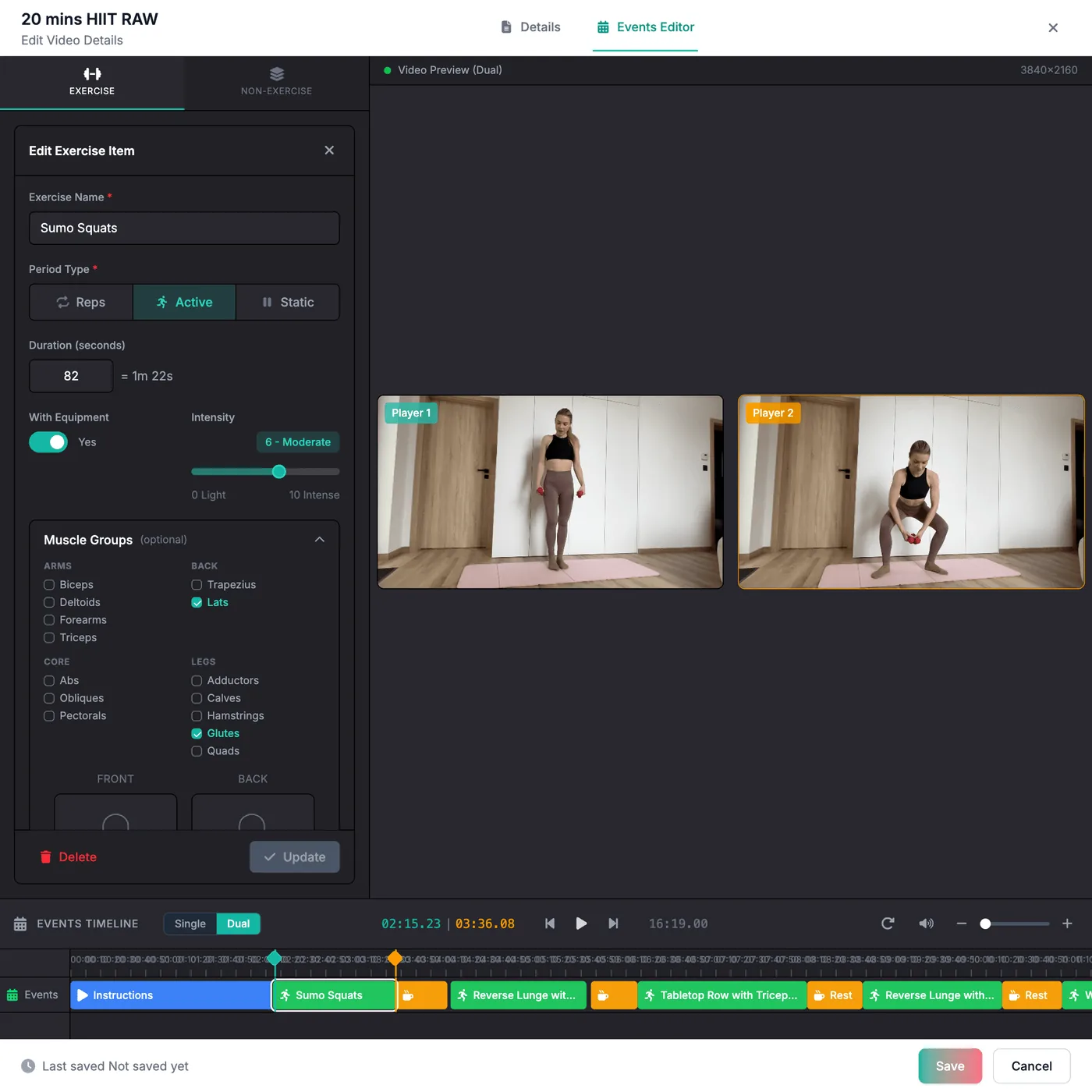
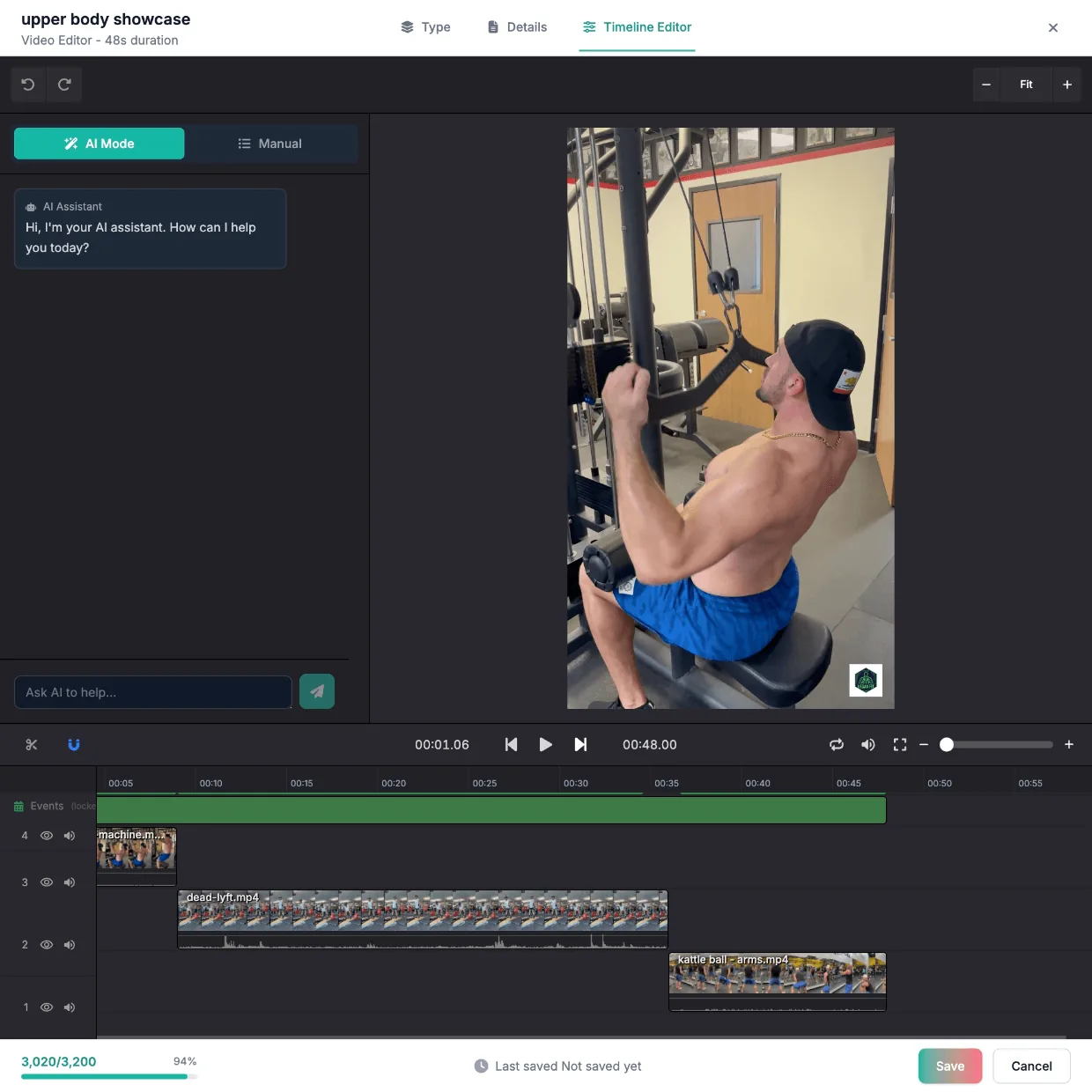
Automatic exercise recognition
View the source video alongside an auto-tagged timeline. Every detected exercise lands as an event you can scrub, rename, or trim with one click.
- AI detects sets, reps, and rest periods
- Quick visual review of every event
- Linear playback synced to the timeline
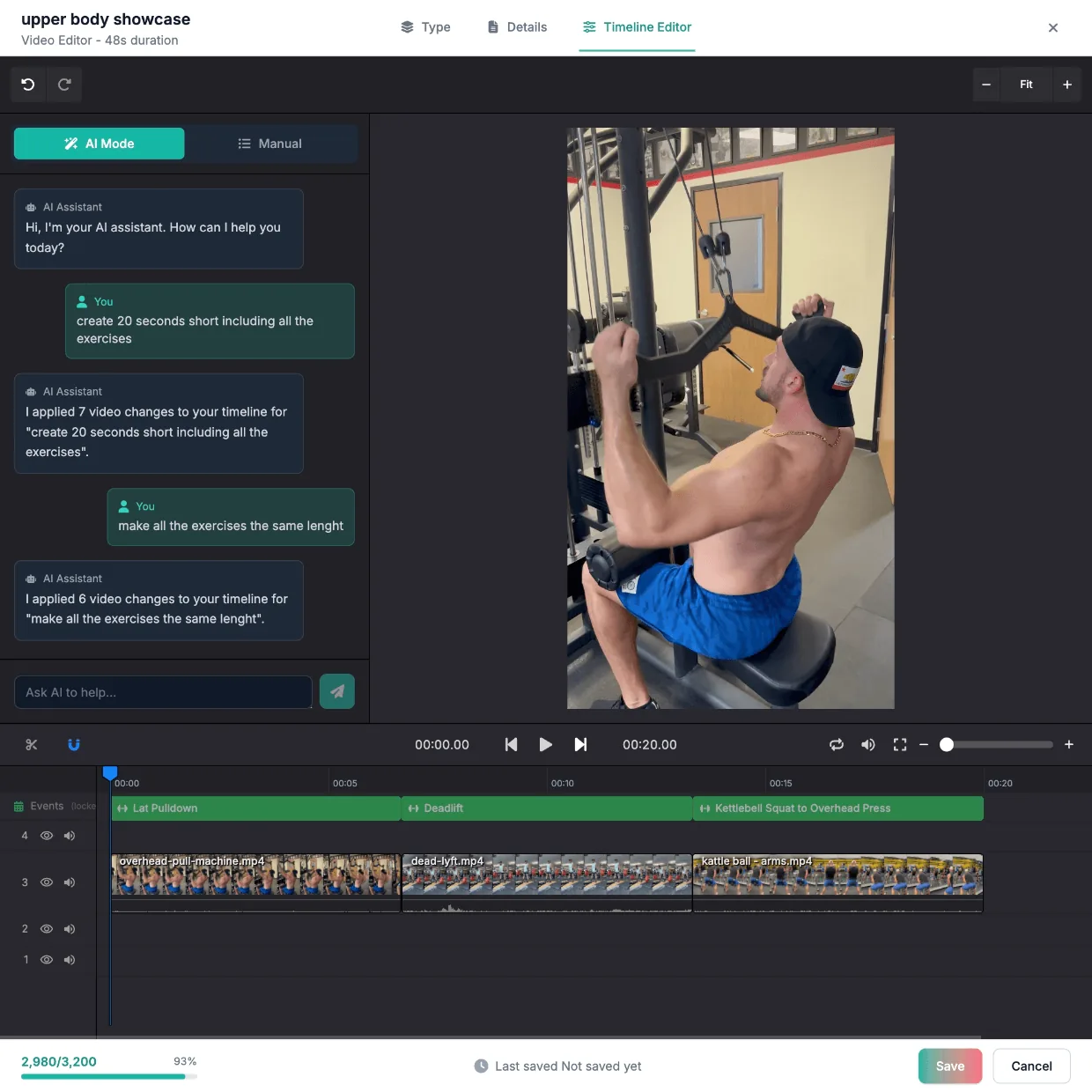
Edit with simple chat commands
Ask the AI assistant in plain language. "Cut all rest periods longer than 5 seconds." "Make a 30-second IG reel from the squat section."
- Plain-English commands
- Reformat for vertical, square, and 16:9
- Pull short-form variants from long sessions
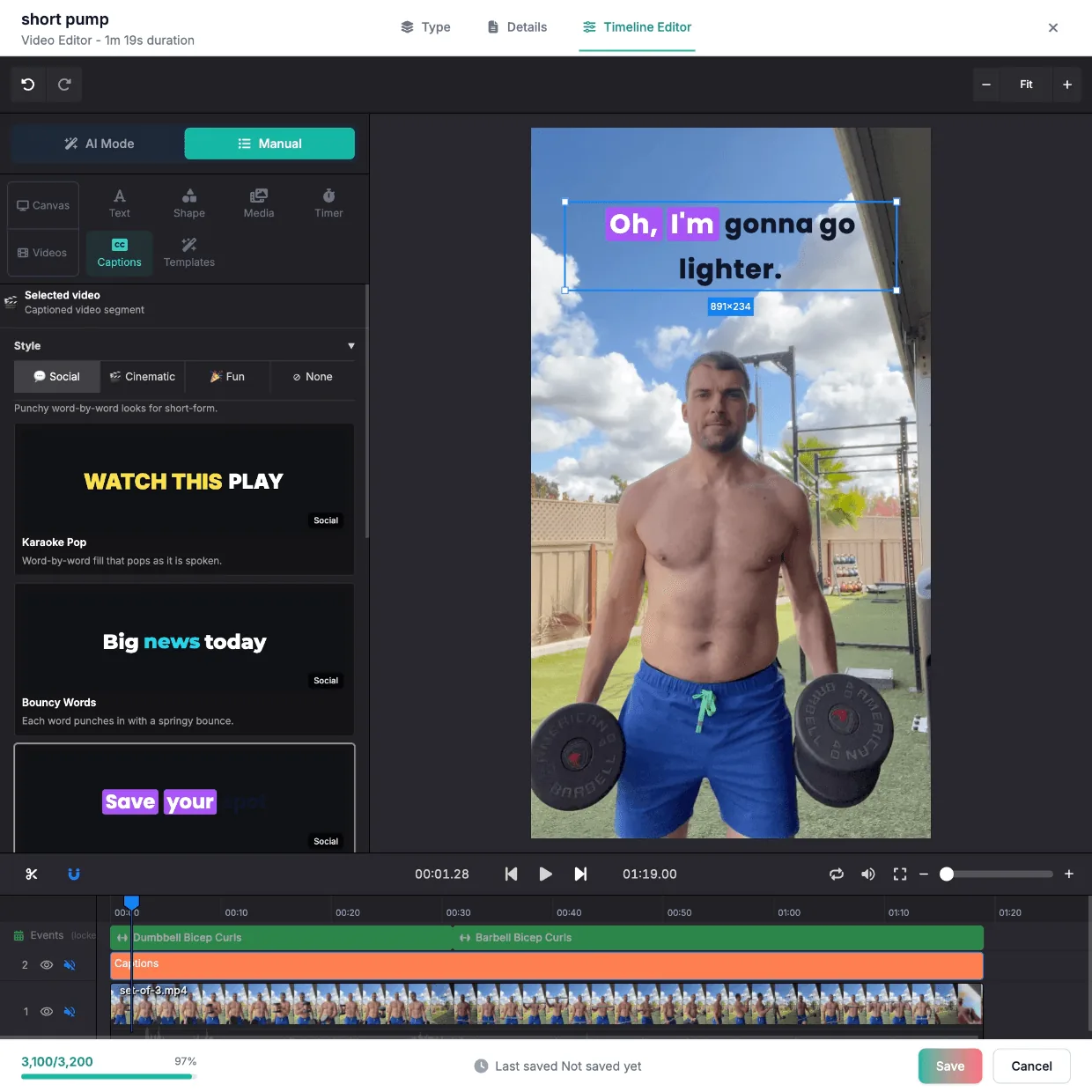
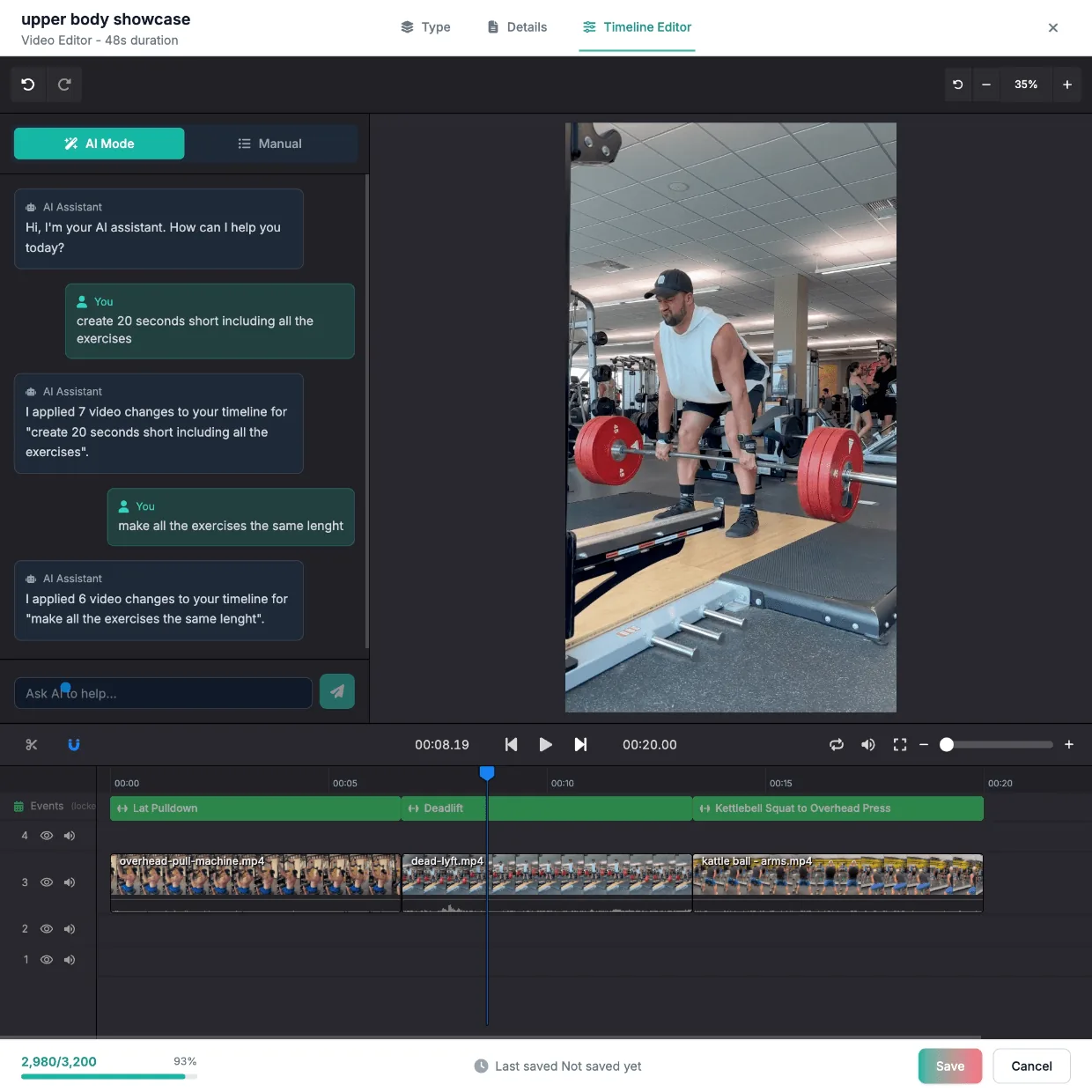
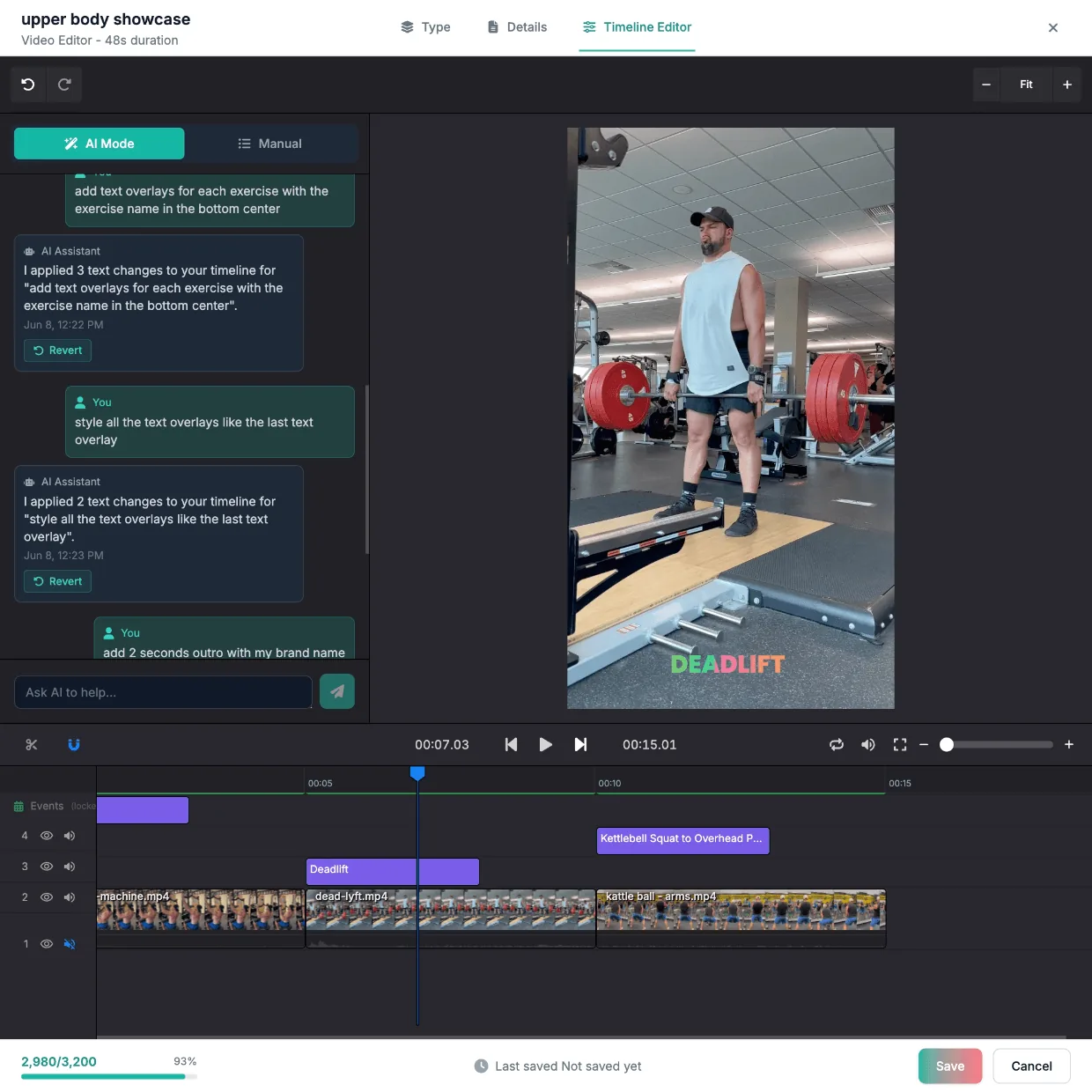
Professional overlay, automatically added
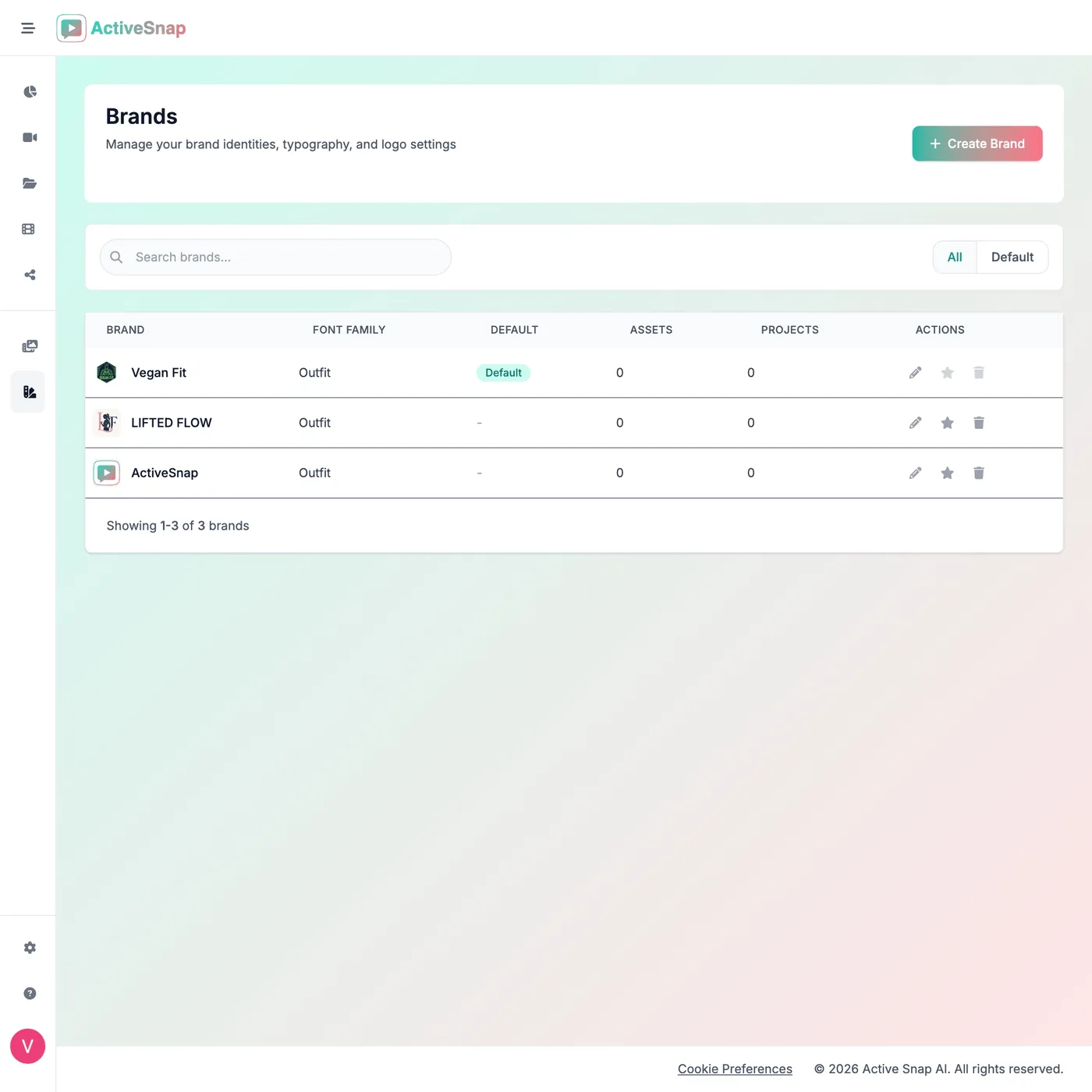
Apply your brand once. Every export carries the colors, typography, intros, and watermarks consistently.
- One brand profile across every clip
- Customizable intros, outros, and watermarks
- No design review needed
Post everywhere from one upload
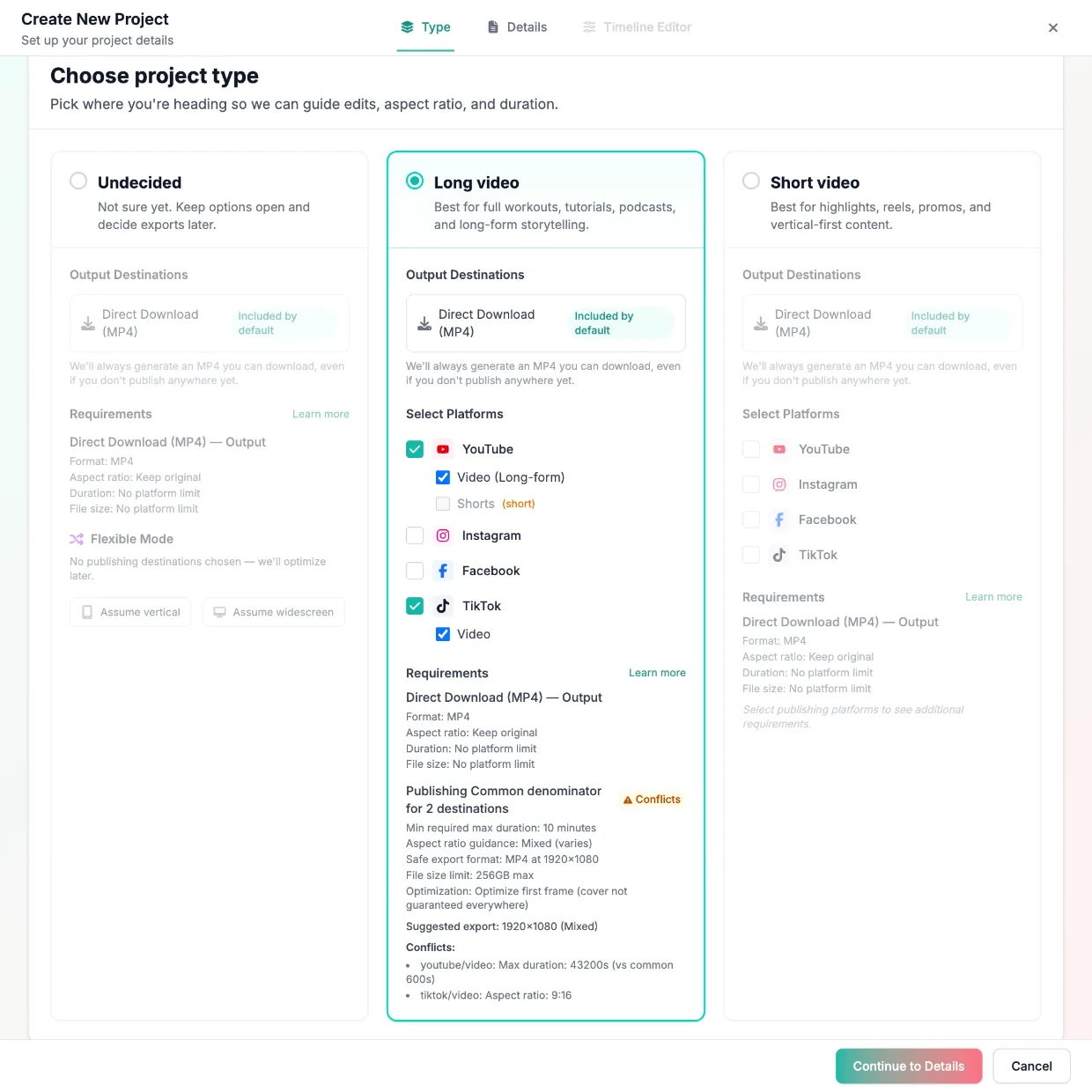
One workout shoot becomes posts for every platform. From a single Generated Video, publish through one four-step wizard — built for YouTube, Instagram, Facebook, and TikTok, with the right format and aspect ratio enforced per destination. Publish now or schedule for later — every scheduled post lands on the Content Calendar.
- One wizard, several platforms in a single pass
- Per-platform placements: Reels, Stories, Shorts
- Publish now or schedule, with live status per post
- Live
YouTube
Long-form, Short-form • 16:9, 9:16
- Live
TikTok
Short-form • 9:16
- Live
Instagram
Reels, Stories • 9:16
- Live
Facebook
Reels • 9:16


Content Calendar · DayDrill into one day and preview exactly what publishes when.
ACTIVESNAP.AI
How it works
Original videos
Drop in your raw workout recording.
100%
AI watches and labels each set on the timeline.
Detecting
Review the AI's work, then mark it Approved.
Social media posts
Publish or schedule to YouTube, TikTok, Instagram, and Facebook — right from ActiveSnap.
Projects
Pick an approved video to work from.
Spin up a new project around that video.
e.g. "30s short focusing on all exercises."
Generated videos
When you're happy with the project, hit Generate — the final video lands in your library.
Frequently asked questions
The quick answers fitness creators ask before they start.
What does ActiveSnap do?
ActiveSnap is an AI-powered fitness video editing and distribution platform built specifically for fitness creators. It understands workouts—automatically identifying exercises, workout structure, muscle groups, and key moments—so you can create professional long-form workout videos through a simple conversation instead of complex editing software. Upload a session once, then generate multiple polished, on-brand clips optimized for every social platform.
Does ActiveSnap detect exercises automatically?
Yes. Every video you upload is analyzed automatically and your timeline starts already segmented into Exercise Events — so you only fix what is wrong instead of tagging every set by hand. Auto-detection is unlimited on every plan, including FREE.
Can I import my branding from my website?
Yes. When you create a Brand, paste your website URL and ActiveSnap detects your colors, fonts, and typography automatically — apply everything at once or pick it field by field. This is the fastest way to set up a Brand that already matches your existing look, and every video you make with it stays consistent.
How do I keep my videos on-brand?
Create a Brand once — colors, typography, logo, and watermark — and every project that uses it inherits the look automatically. Run multiple identities (studio, personal channel, sponsor) with a separate Brand each.
Which platforms can I publish to?
You can connect, post, and track on YouTube, TikTok, Instagram, and Facebook. From one wizard you can post to several platforms at once, publish now or schedule for later, and manage everything from the Content Calendar — day, week, month, and year views of your scheduled and published posts.
Do I need editing experience?
No. You can edit visually in the Projects Timeline Editor, or just describe what you want to the AI Assistant in plain language and let it make the changes.
Is it free to start?
Yes. The FREE plan includes 30 minutes of uploads, 15 minutes of Generated Videos, and up to 20 AI assist actions — no card required. Creator and PRO add more assist actions, higher limits, up to 4K export, and no watermark.
What CapCut and Opus Clip can't do
They edit. They don't understand fitness.
- Know what exercise you just filmed
- Label every set, rep, and rest period
- Generate variants with exercise names baked in
- ActiveSnap does all three — out of the box.
Ready to spend less time in the timeline?
Start free — 30 minutes of upload, no card required. During Open Beta, every plan includes the ActiveSnap Discord and a direct line to the team.
- No credit card required
- Cancel anytime
Last reviewed: 2026-08-27