
AI fitness video editor
The AI fitness video editor that knows every exercise in your footage
An AI fitness video editor built for creators publishing structured 10–40+ minute workout videos: upload the session, and the editor detects the exercises, trims the dead time, places the graphics, and sizes the cuts for each channel.
No card required.
Graphics generated from the footage — not from a workout you re-type
Competing tools need the workout programmed in before they can label anything. You already filmed the session — entering it again as data is the same work twice. ActiveSnap reads the exercises off the video and builds the overlays from what it detected.
Detected footage
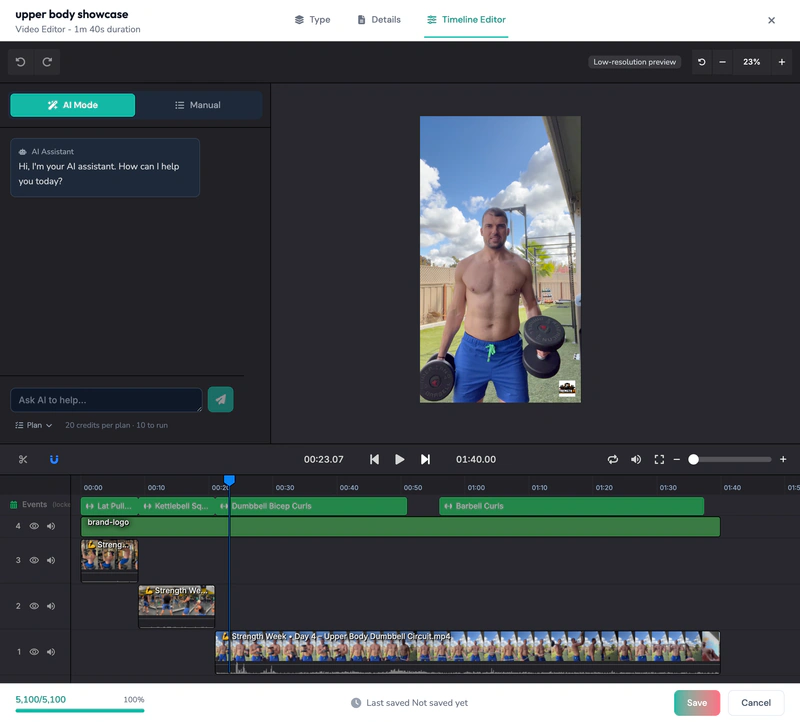
Overlays generated from it
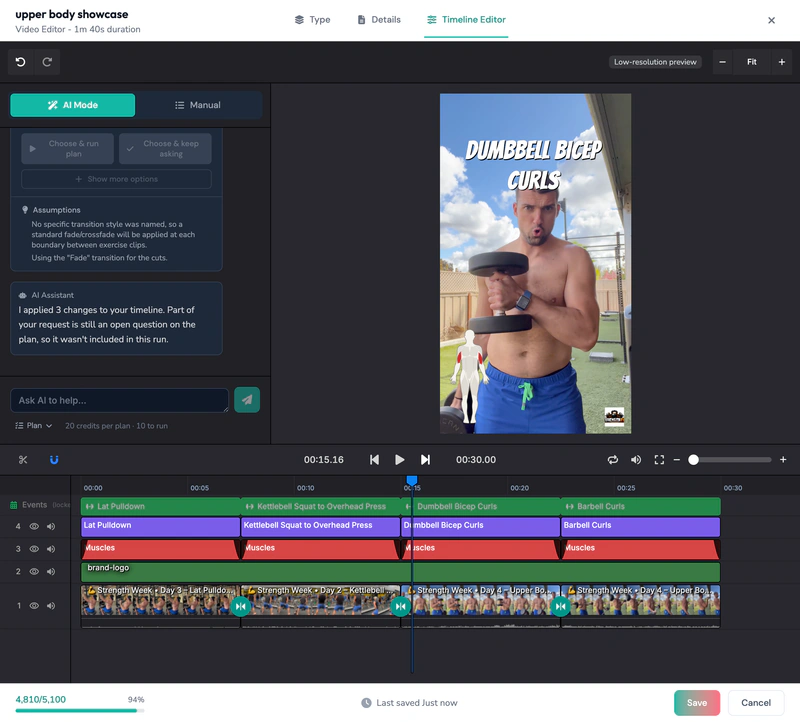
The auto-graphics kit
Everything a follow-along video needs — the overlays placed against the detected segments, plus the captions, music and preview window that go on in a click. Eight layers, each shown being built: pick any of them.
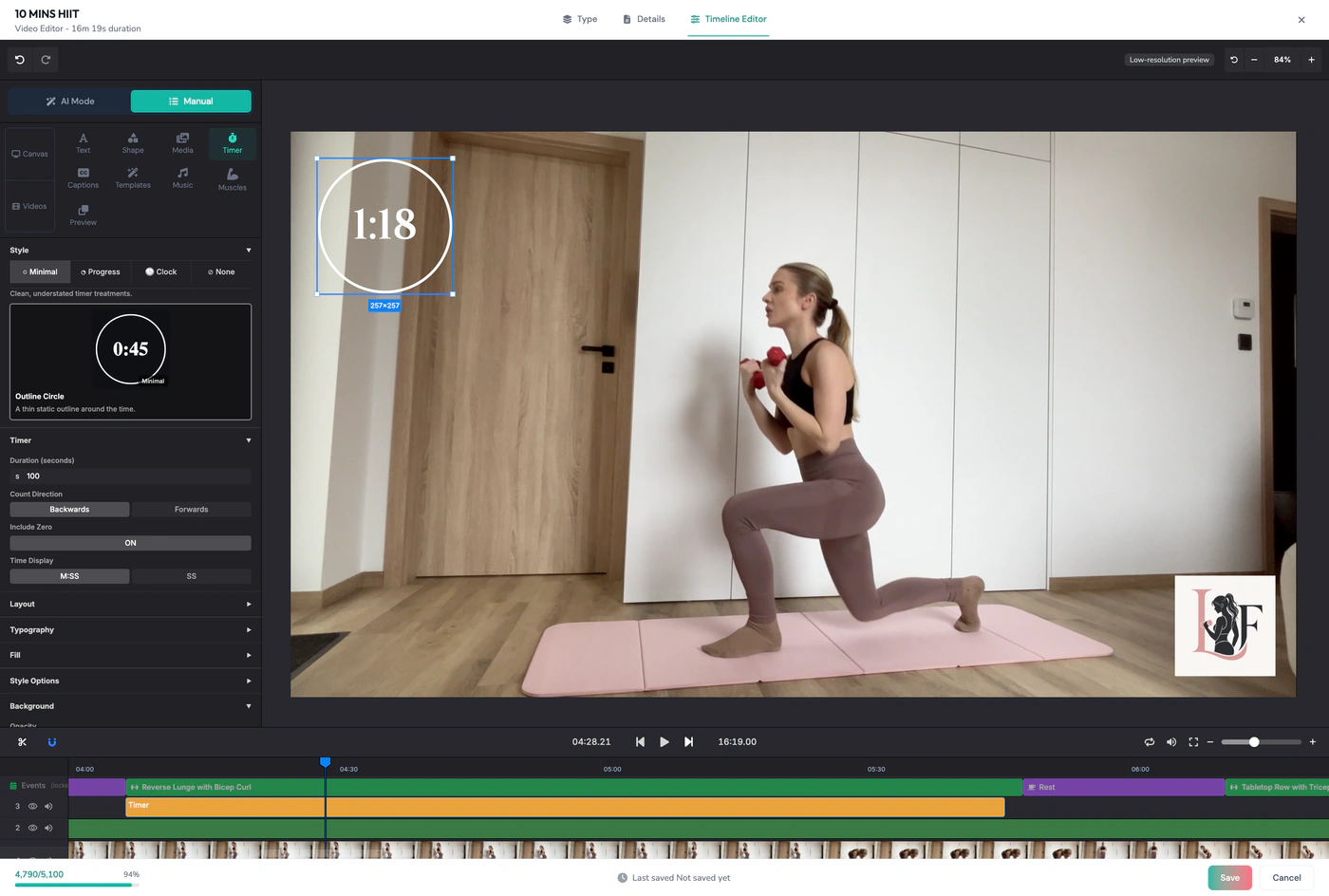
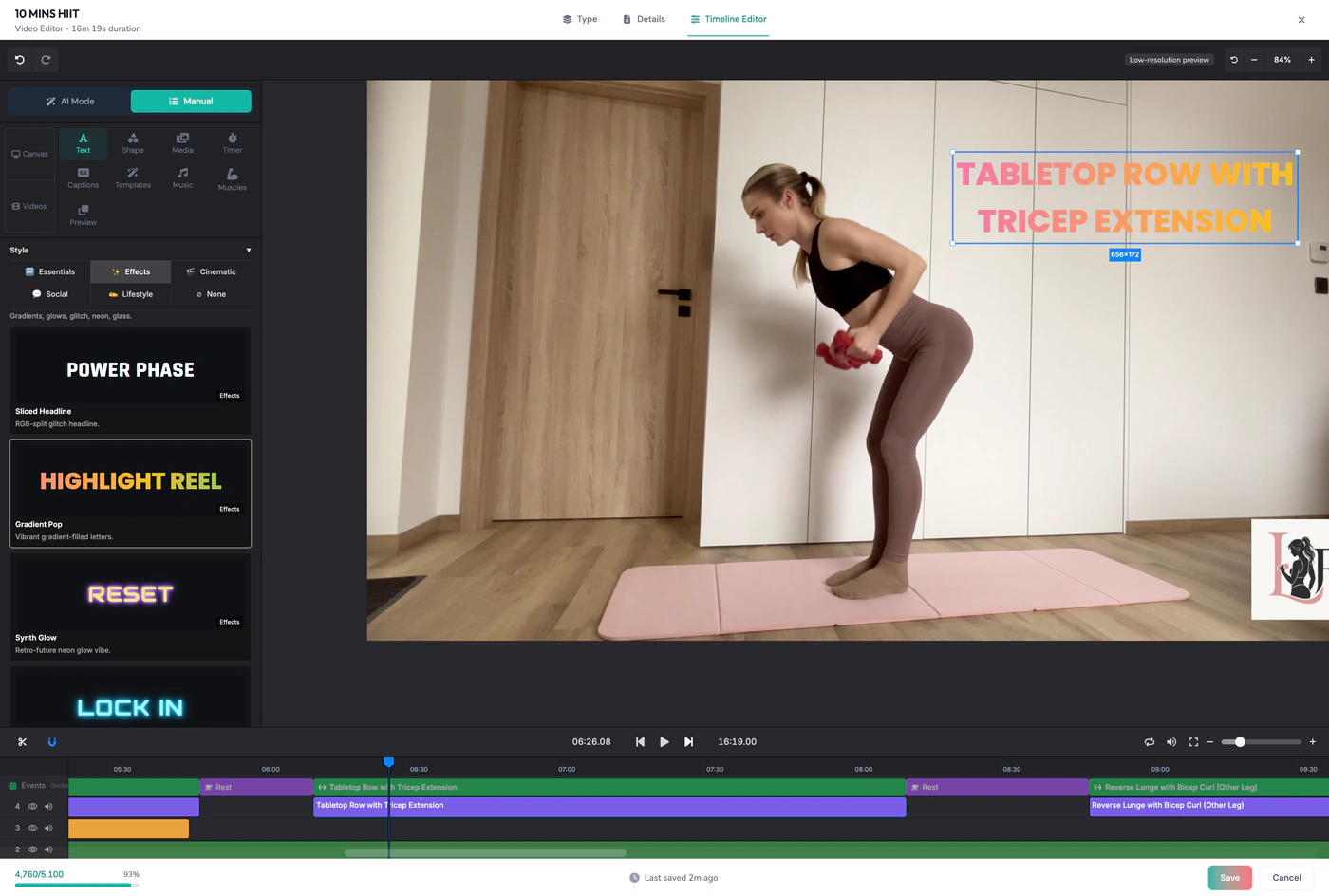
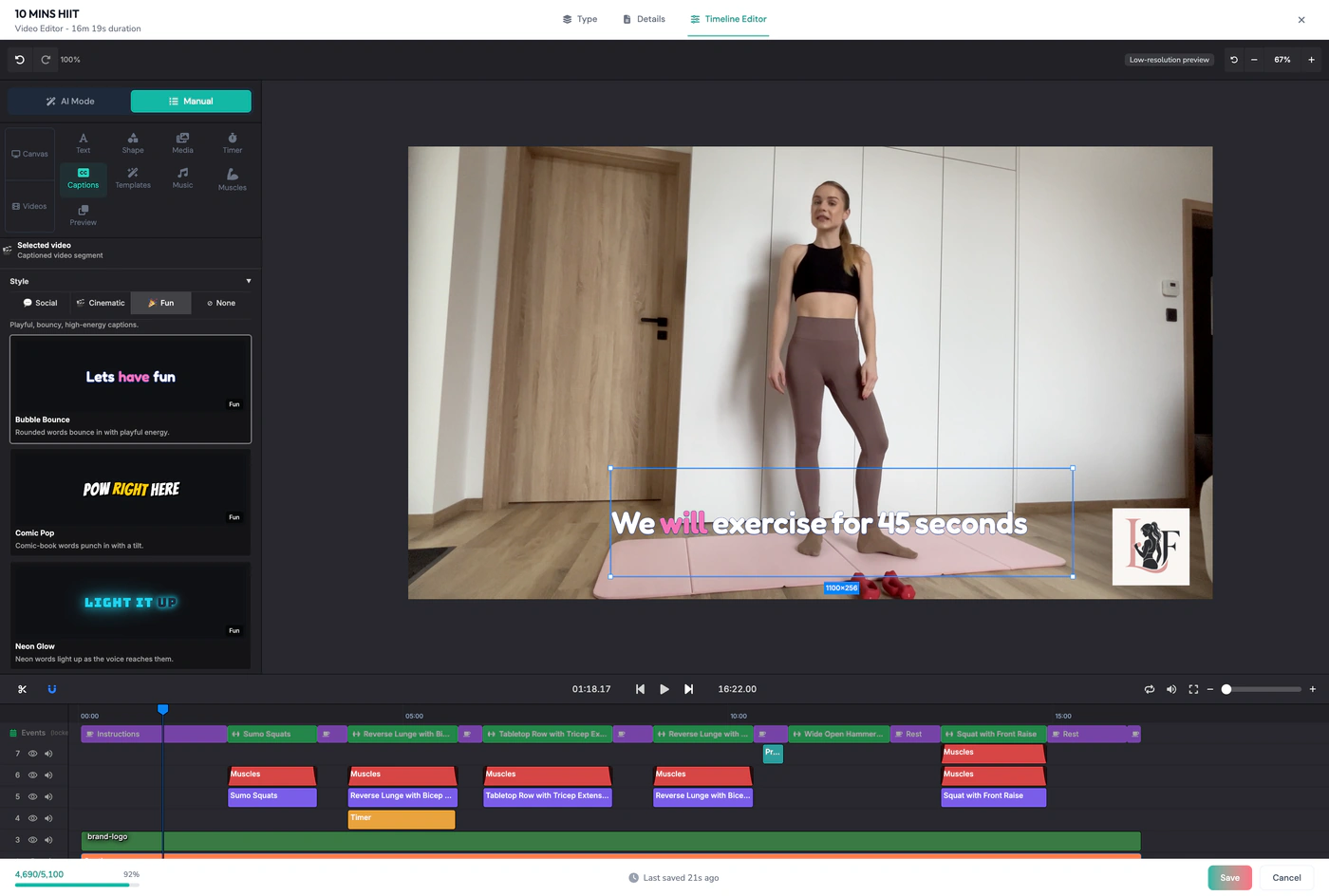
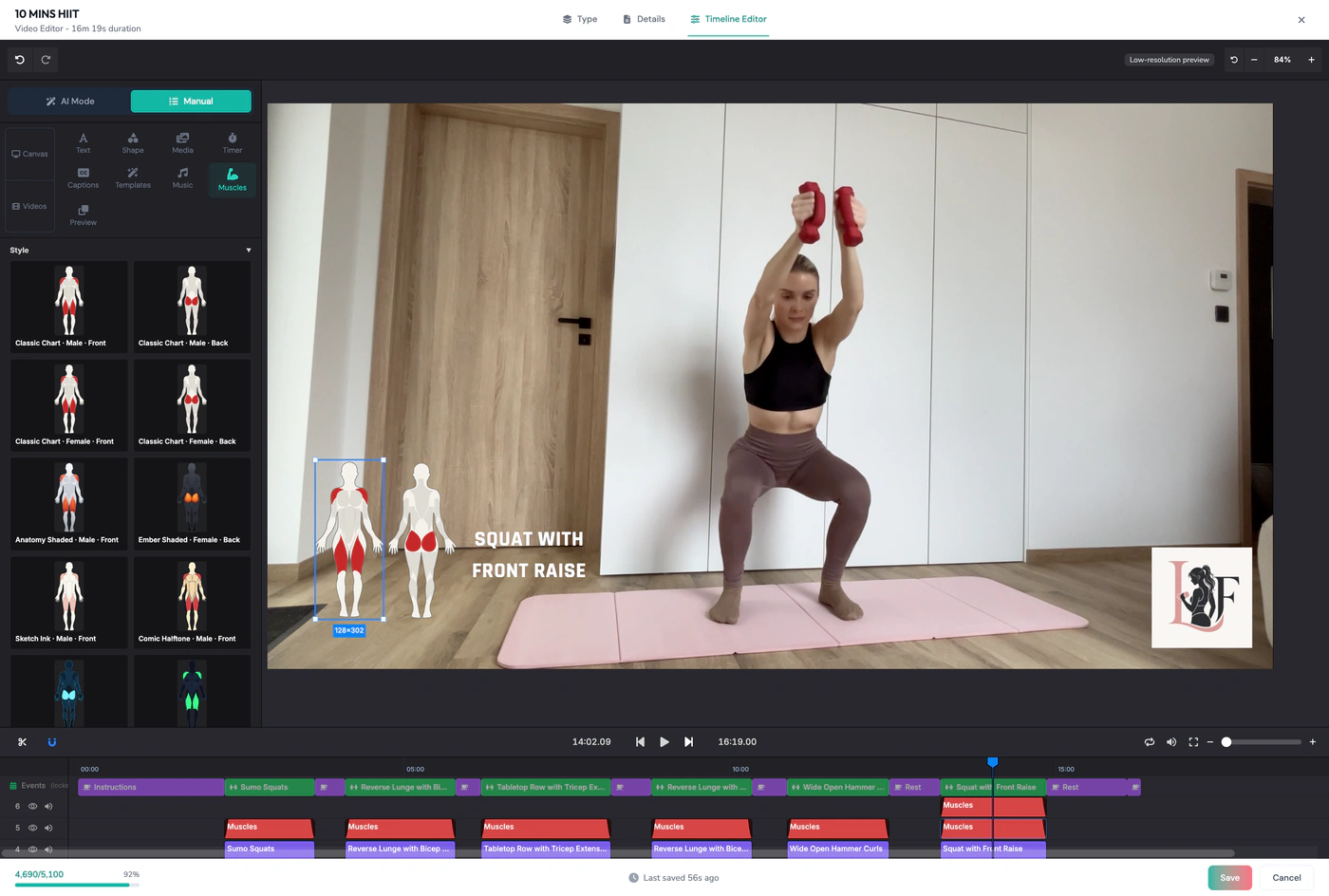
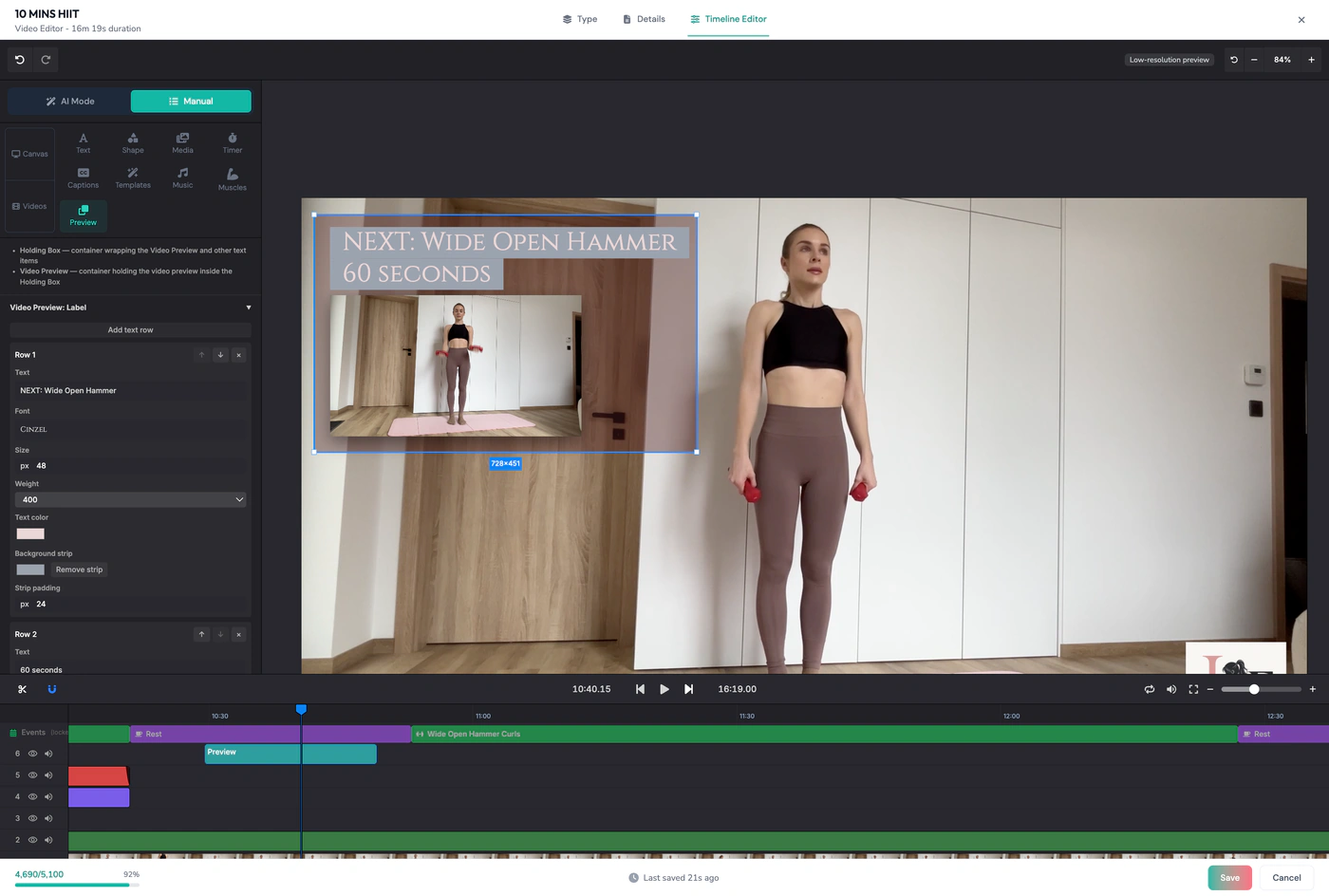
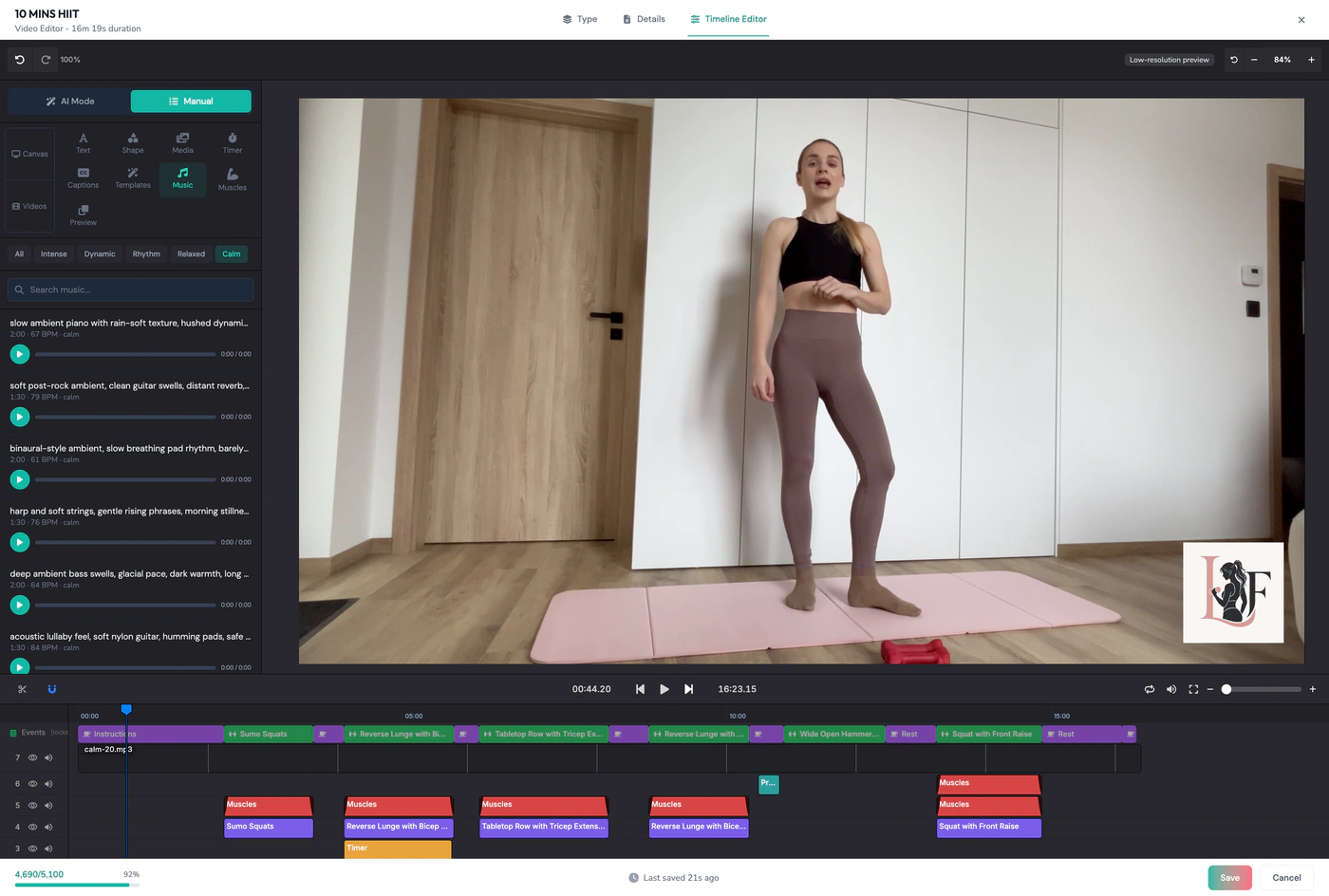
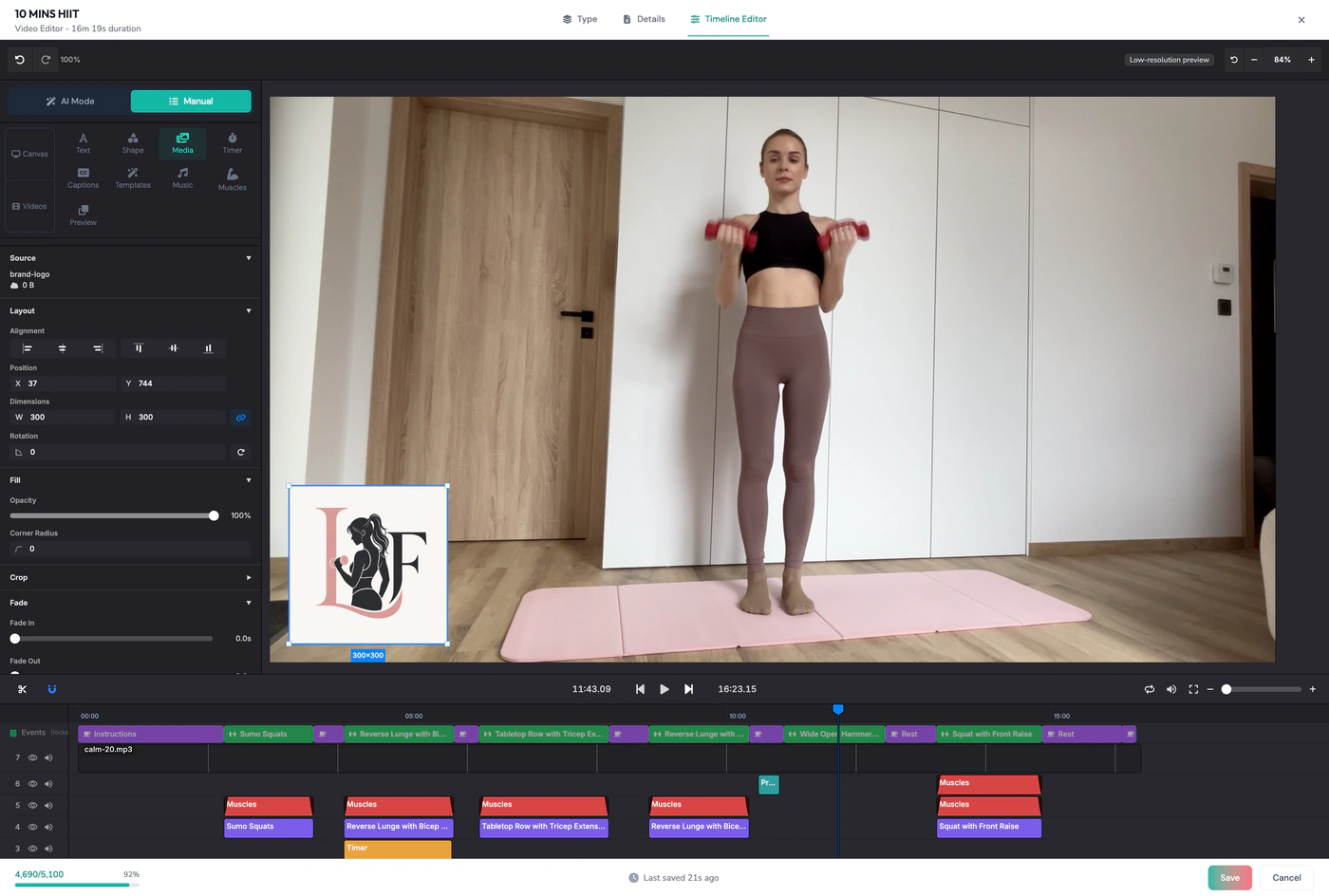
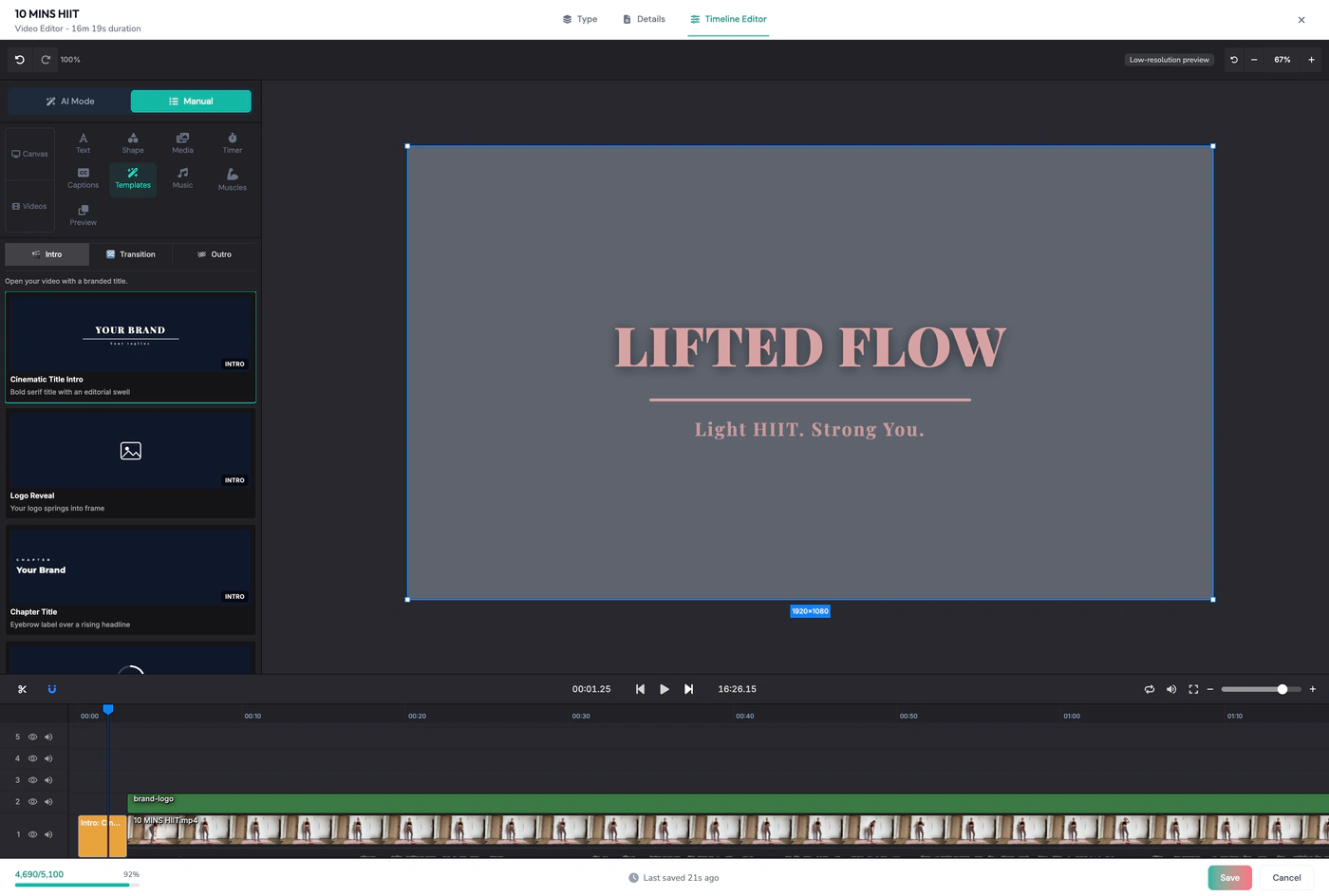
Countdown & interval timers — Placed against each detected work and rest interval.
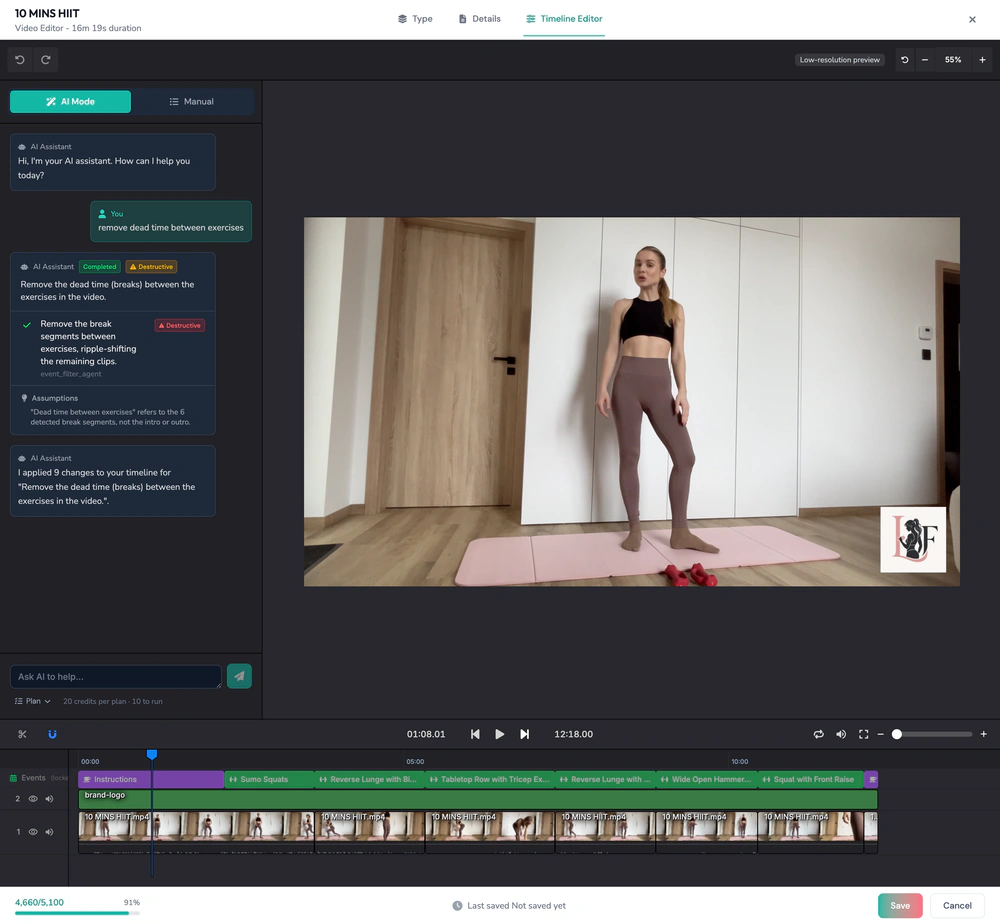
Dead-time trimming across the whole session
A 10–40+ minute continuous take carries the gaps between sets, the resets, the walk back to the mat. Those come out automatically, and the pacing of the finished episode holds.
Auto-chapters from the detected exercise segments
Each detected exercise becomes a chapter marker, in order, with its own timestamp — no separate pass to write them.
Stage 1 · Detect
Every detected exercise segment lights up on the timeline in order, named as ActiveSnap finds it — warm-up, goblet squat, kettlebell swing, push-up ladder, cool-down.
Built for the workout channel
The whole YouTube workflow lives on this page: the long-form master, the chapters that become key moments, the Shorts derived from that master, and the upload itself — publishing or scheduling straight to the channel.
1 · The long-form master
The full session, trimmed and graphics-complete, exported at up to 4K in 16:9 — the asset the channel is built on.
2 · Chapters as key moments
Detected exercise segments come out as timestamped chapters, so the description carries key moments without a manual pass.
3 · Shorts from that master
Pull 9:16 Shorts out of the same file — the exercise is already labelled, so each Short lands with its own name on screen.
4 · Publish or schedule to YouTube
Connect the channel and send the long-form upload and the Shorts out from the Content Calendar — now, or queued for later.
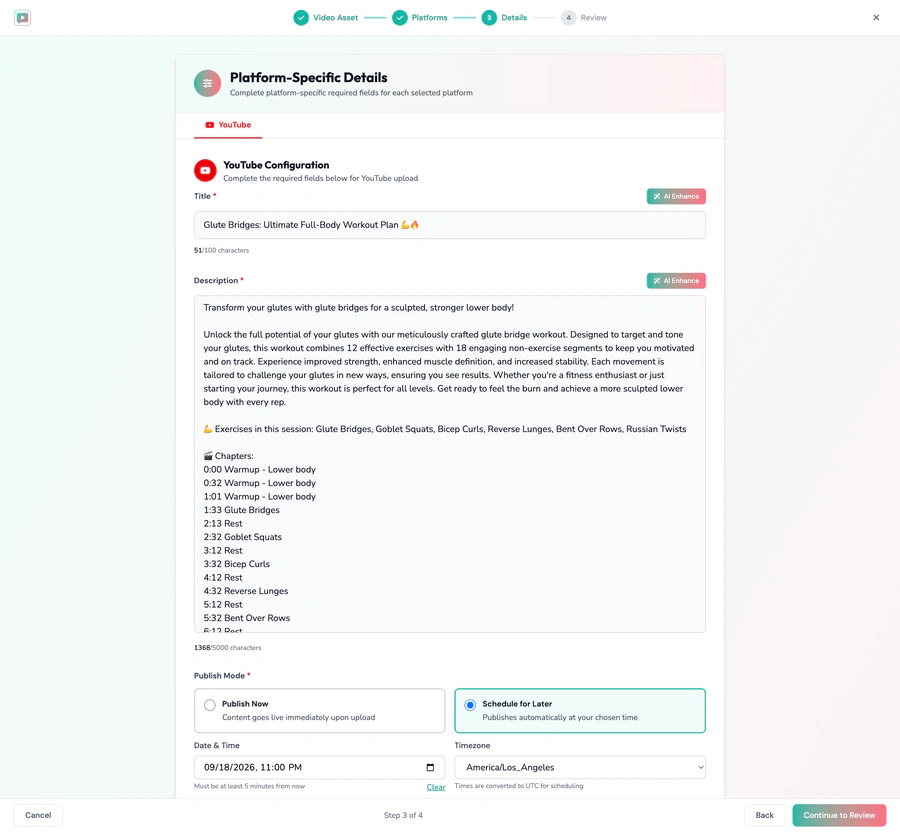
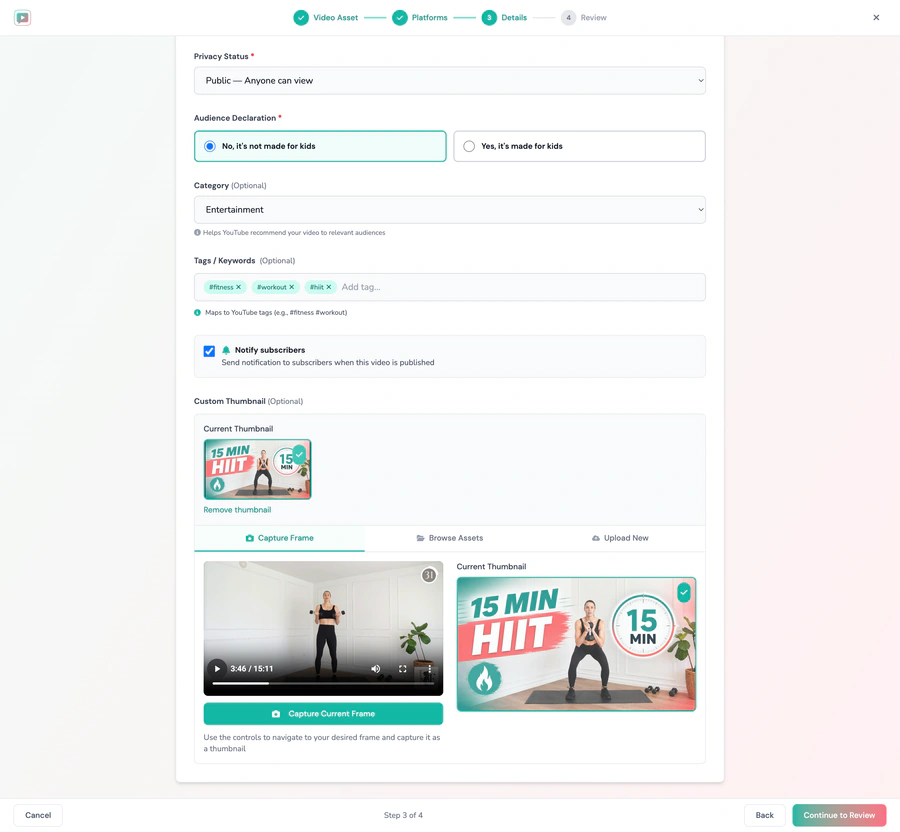
One step of the upload wizard, top and bottom: the chapters written from the detected segments drop straight into the description, and the thumbnail is captured from a frame of the session — both editable, alongside the tags, the audience declaration, and whether it goes out now or on a schedule.
Manual Mode, for when the AI gets one wrong
A cut in the wrong place or a mislabelled movement is a fix on the timeline, not a restart. Manual editing is always available and never gated.
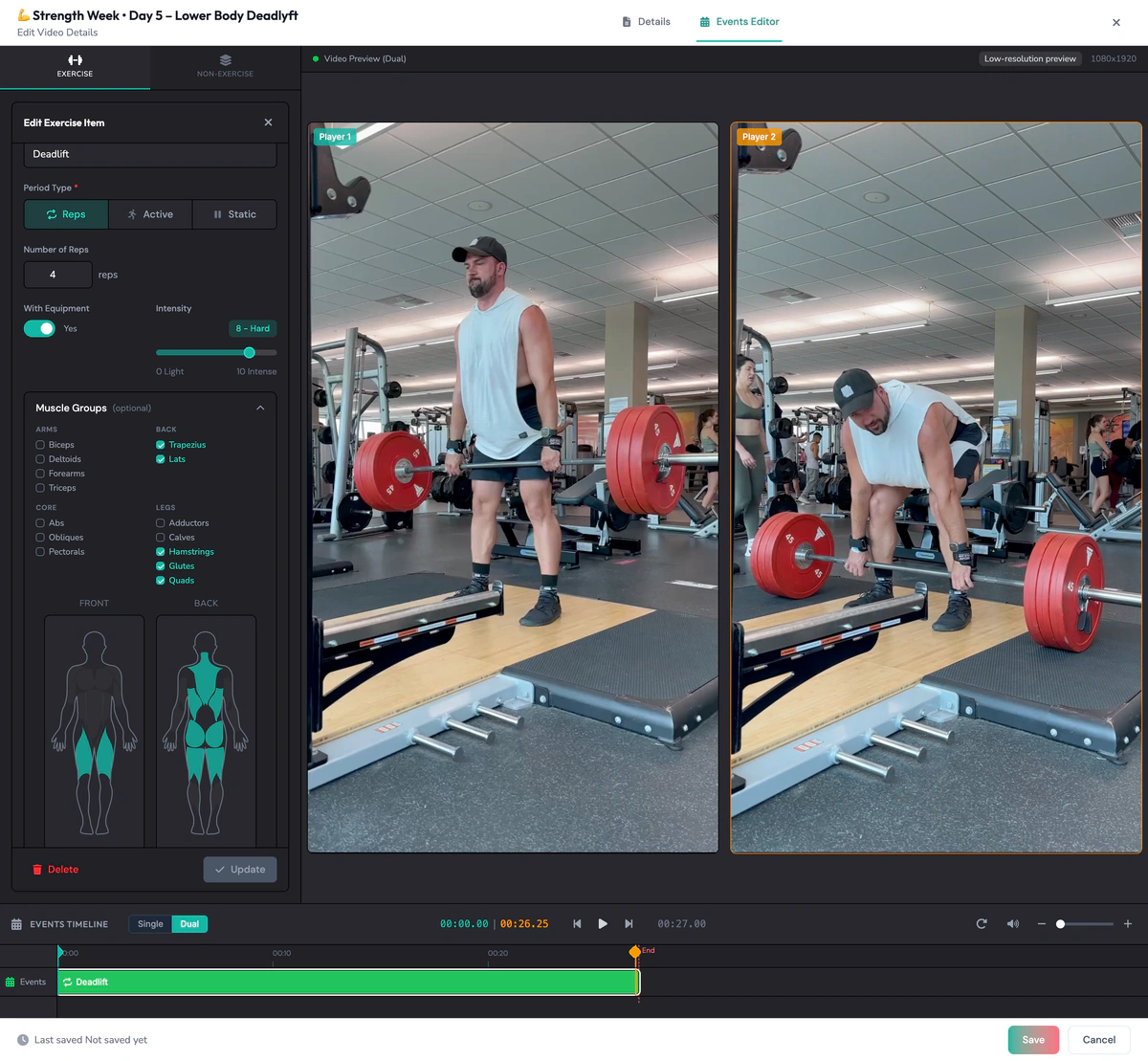
Correcting the reps, the intensity and the muscle groups on a detected exercise
Frequently asked questions
What is an AI fitness video editor?
Video-editing software built for workout footage: it recognizes the exercises in the video, cuts the gaps between sets, places the graphics, and sizes the result for each channel.
Do I have to enter the workout first, or does it detect the exercises?
ActiveSnap detects the exercises straight from the footage. You don't re-enter the workout as data — upload the session and the AI reads what you filmed.
Can it handle a 40-minute continuous session?
Yes — a single 10–40+ minute continuous take is the normal case. The dead time between sets, the resets, and the walk back to the mat come out automatically, and the pacing of the finished episode holds.
Does it create YouTube chapters automatically?
Yes. Each detected exercise segment becomes a timestamped chapter, in order, with no separate pass to write them.
What happens when the AI gets a cut or a label wrong?
Open the timeline and fix it in seconds. Manual editing is always available and never gated.
Which platforms can I publish to?
Publish directly to YouTube, TikTok, Instagram, and Facebook, or schedule posts from the Content Calendar.
Is it free to start?
Yes. ActiveSnap is in Open Beta — start free, no card required. During Open Beta, every plan includes the ActiveSnap Discord and a direct line to the team.
They edit. They don't understand fitness.
- Opus Clip finds the moments in a talking-head recording; it cannot see an exercise.
- CapCut edits anything, once you have identified every clip yourself.
- ActiveSnap reads the exercises off the video and builds the overlays from what it detected.
Explore ActiveSnap pricing or see how the same workflow fits fitness creators.
Get your evenings back.
The AI does the edit — you review it and post. Start free and turn your next filmed session into the episode and the cuts.
No credit card required.
Last reviewed: 2026-09-10