
For long-form fitness creators
Video editing for fitness creators: if the workout video is the asset, the graphics are the job
Video editing for fitness creators — built for the long-form follow-along and instructional videos that earn from ad revenue, memberships, sponsorships and paid programs. You film the session; the AI edits it, graphics and all.
No card required. Paid plans from $29/mo.
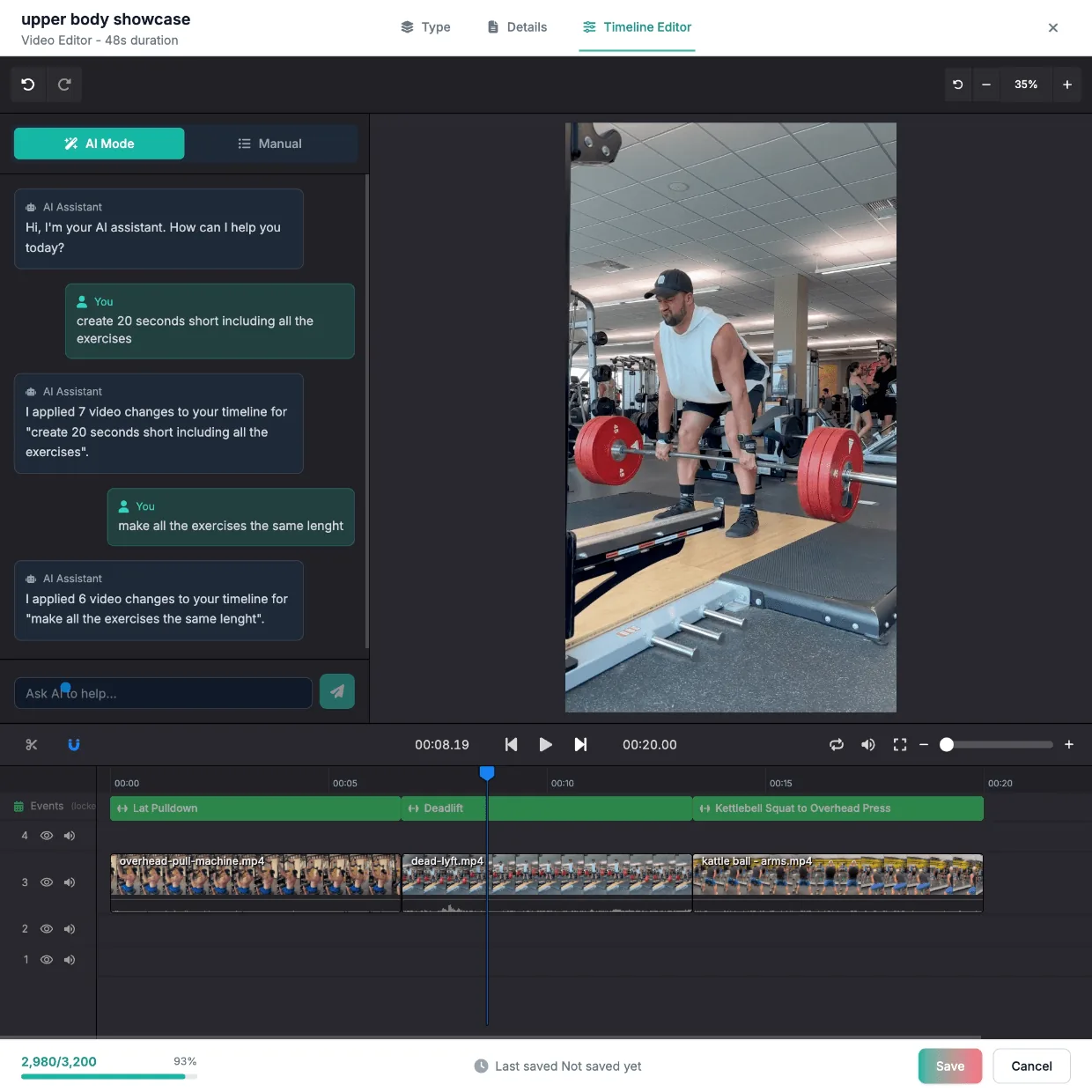
The graphics land one at a time on the same frame.
A follow-along video is unwatchable without on-screen graphics
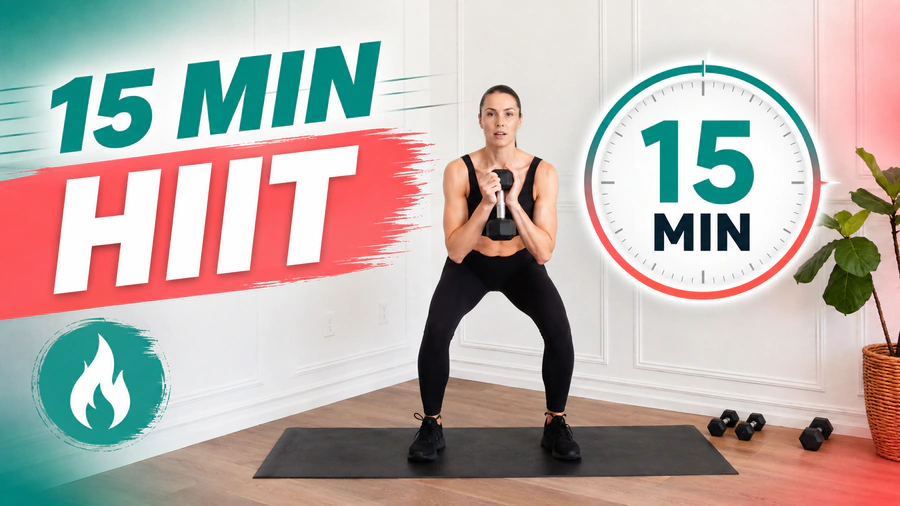
Your viewer is on the mat, following the screen. That means a countdown into every interval, a timer running through it, the exercise named, and the rep count visible — for every set in a 30-minute session. Hand-built, that is hours per episode, and it is the reason a finished video sits unpublished.
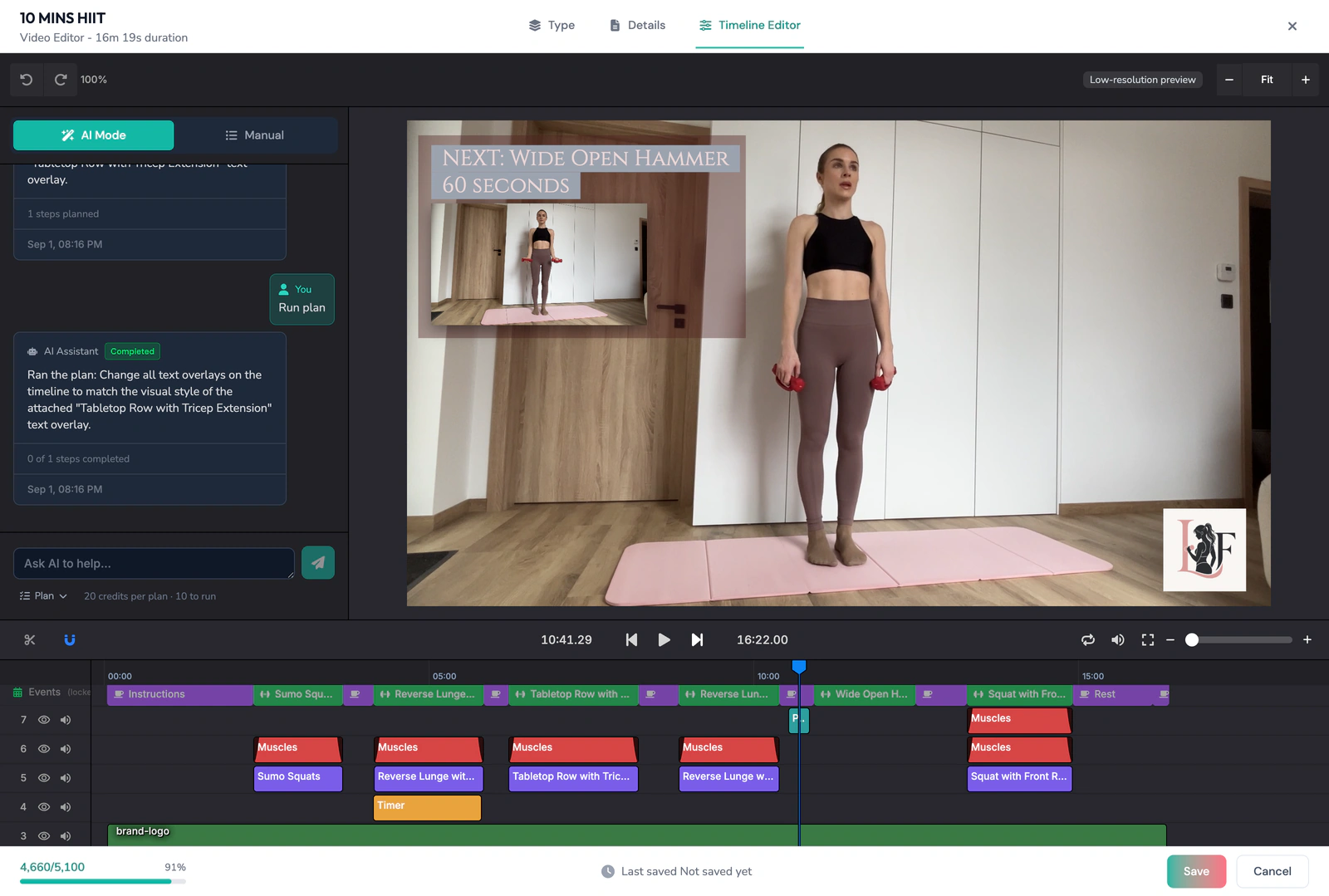
Countdown into every interval
Placed against the detected start of each work block.
Interval timers that run with the set
Duration read from the segment, not typed in.
Exercise names on screen
Taken from the movement the AI detected in the clip.
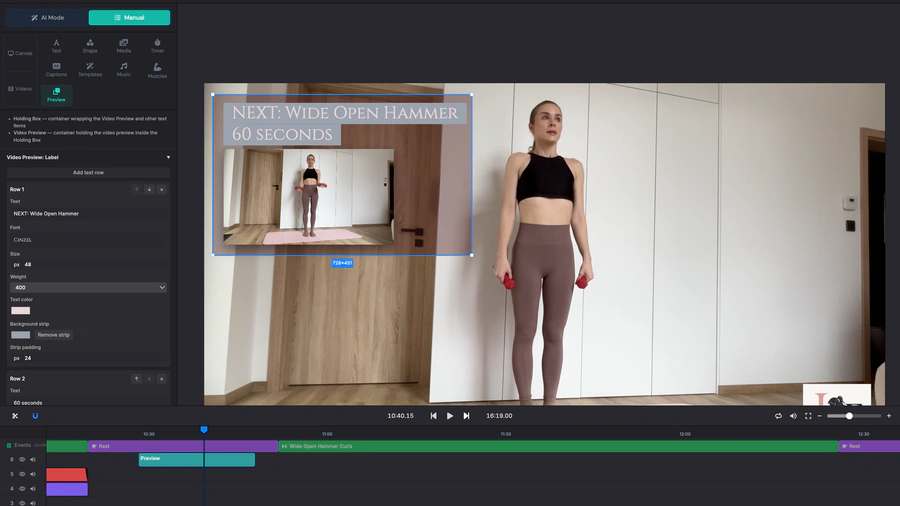
Picture in Picture Preview
Next exercise preview that keeps the viewer engaged.
Raw episode
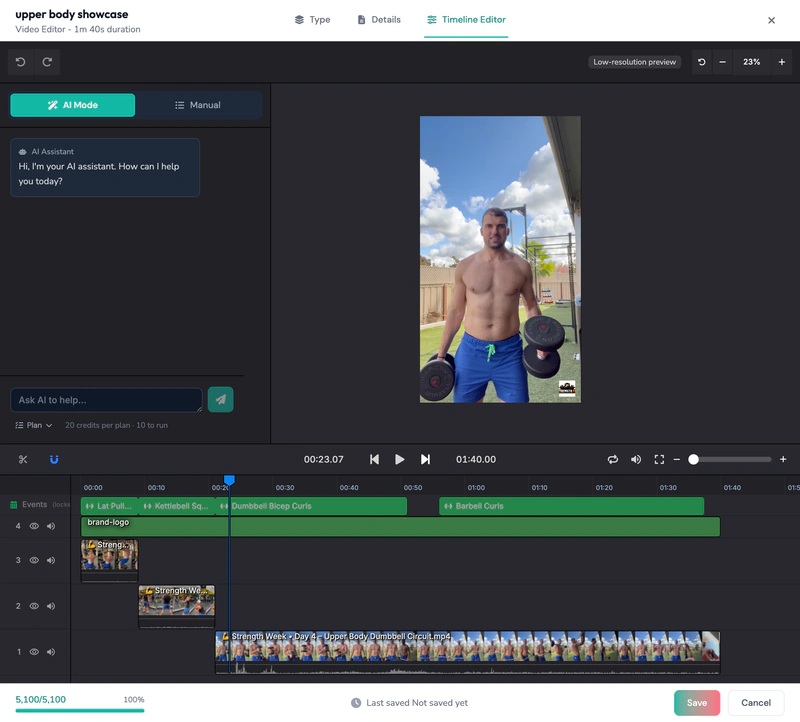
Graphics applied by the AI
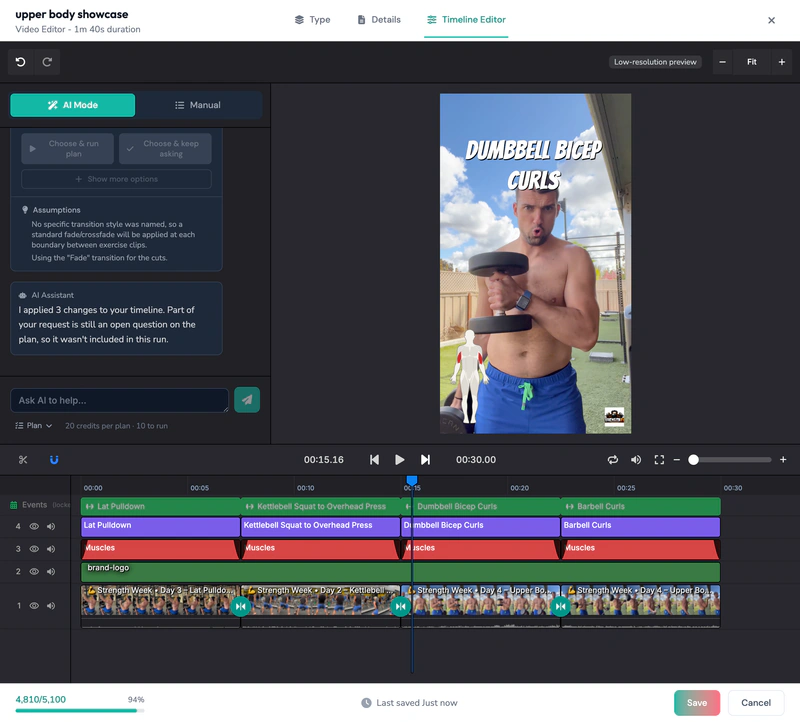
Episode 40 looks like episode 1
Intro, outro, overlay style, font and logo live in a reusable brand profile. Every episode in the series inherits them, so the look does not drift as the back catalogue grows.
You don't need to learn an editor
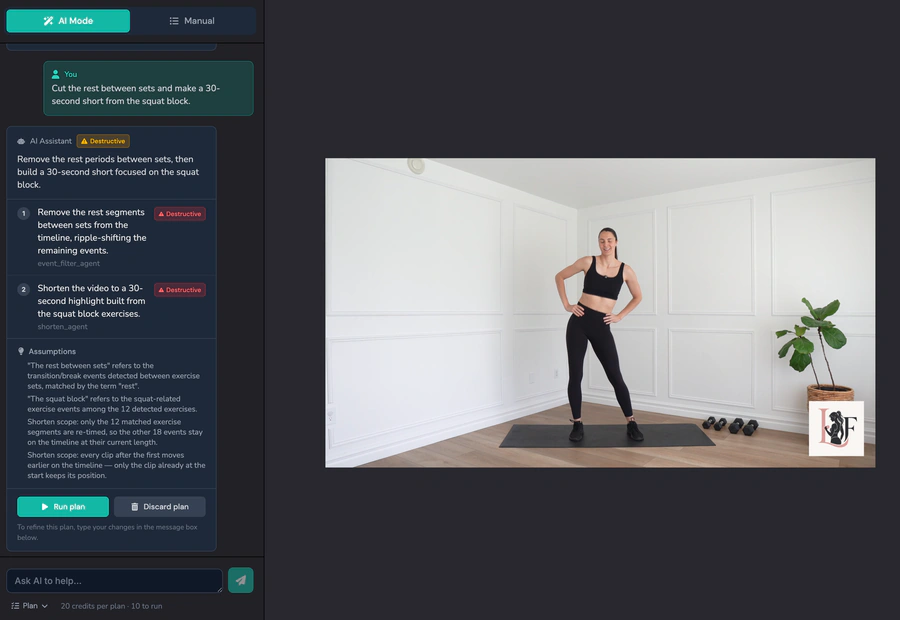
The instruction is the interface. Ask for the change in plain language and the AI makes the edit. The timeline is there when you want it — Manual Mode is never gated — but nothing about this workflow requires you to learn one.
Your instruction
Cut the rest between sets and make a 30-second short from the squat block.
The edit the AI made
Captions, generated for the whole session
On-screen captions are generated for the session and placed to sit inside the finished graphics rather than on top of them.
Captions inside the same graphics
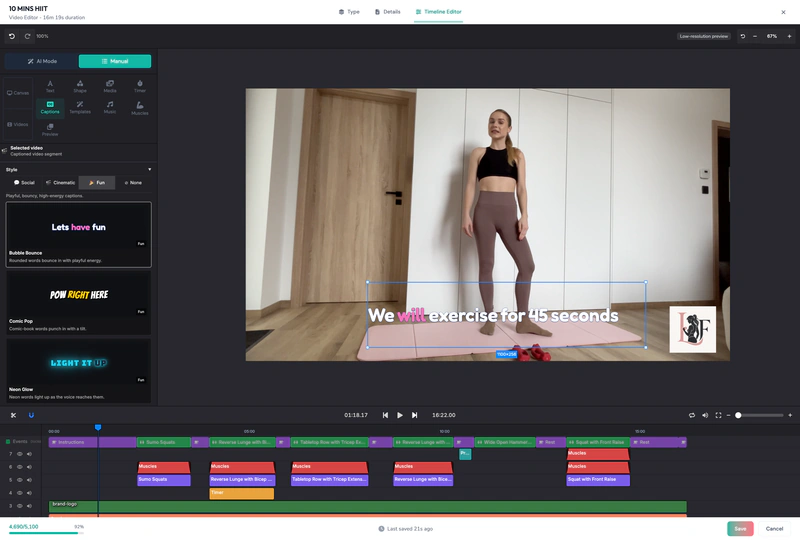
“We will exercise for 45 seconds”
Across the whole session
Auto-generated on-screen captions from end to end.
Nothing typed by hand
Generated from the session, not transcribed and timed manually.
Placed clear of the graphics
Kept out of the way of the timers, labels and rep counters.
They edit. They don't know a workout.
General-purpose editors cut video. They don't know which exercise you just filmed, when to time a countdown to the start of a work interval, or how to count reps and name the movement on screen.
ActiveSnap reads the exercises off the footage and builds the graphics from what it detected.
Keeping people in the session
Three edits that work in the viewer's favour. We are not putting a number on them until creator interviews give us one.
rest gaps highlighted
gaps removed
Dead time trimmed between sets
The resets and walk-backs come out, so the pacing holds through a long take.
Chapters as YouTube key moments
Detected segments become timestamps a viewer can jump between.
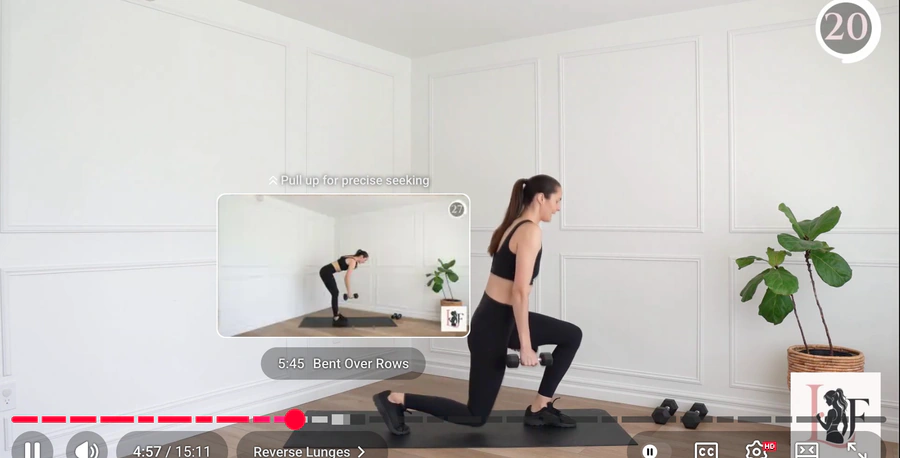
What's-next cues between exercises
The next movement named before it starts, so nobody drops out mid-transition.
Then the same session pays twice
Once the episode is done, the shorts come out of the same footage — already labelled — and schedule themselves out to YouTube, TikTok, Instagram and Facebook from the Content Calendar.
Finished episode · 16:9
Shorts · 9:16, exercise named on screen
Square variant · 1:1
Queued · YouTube, TikTok, Instagram, Facebook
The shorts come out of the same footage — already labelled.
Creators hire long-form fitness editors at $250–$350 per video.
Creator is $29/mo.
Rates from creator hiring posts, 2026.
Frequently asked questions
Do I need to know how to edit video?
No — the instruction is the interface. You describe the change in plain language and the AI makes the edit; the timeline is there whenever you want to work on it yourself.
Do I have to enter the workout first, or does it detect the exercises?
ActiveSnap detects the exercises straight from the footage. You don't re-enter the workout as data — upload the session and the AI reads what you filmed.
Can it handle a 40-minute continuous session?
Yes — a single 10–40+ minute continuous take is the normal case. The dead time between sets, the resets, and the walk back to the mat come out automatically, and the pacing of the finished episode holds.
Can I fix it when the AI gets a cut or a label wrong?
Open the timeline and fix it in seconds. Manual editing is always available and never gated.
Are captions included?
Yes. Captions are generated for the whole session and placed clear of the timers, labels and rep counters — nothing is typed or timed by hand.
Which platforms can I publish to?
Publish directly to YouTube, TikTok, Instagram, and Facebook, or schedule posts from the Content Calendar.
Is it free to start?
Yes. ActiveSnap is in Open Beta — start free, no card required. During Open Beta, every plan includes the ActiveSnap Discord and a direct line to the team.
See ActiveSnap pricing or learn more about AI fitness video editing.
Film the session. Let the AI edit it.
No credit card required · Cancel anytime
Personal trainers and coaches film these sessions too — the same workflow applies.
Last reviewed: 2026-09-10