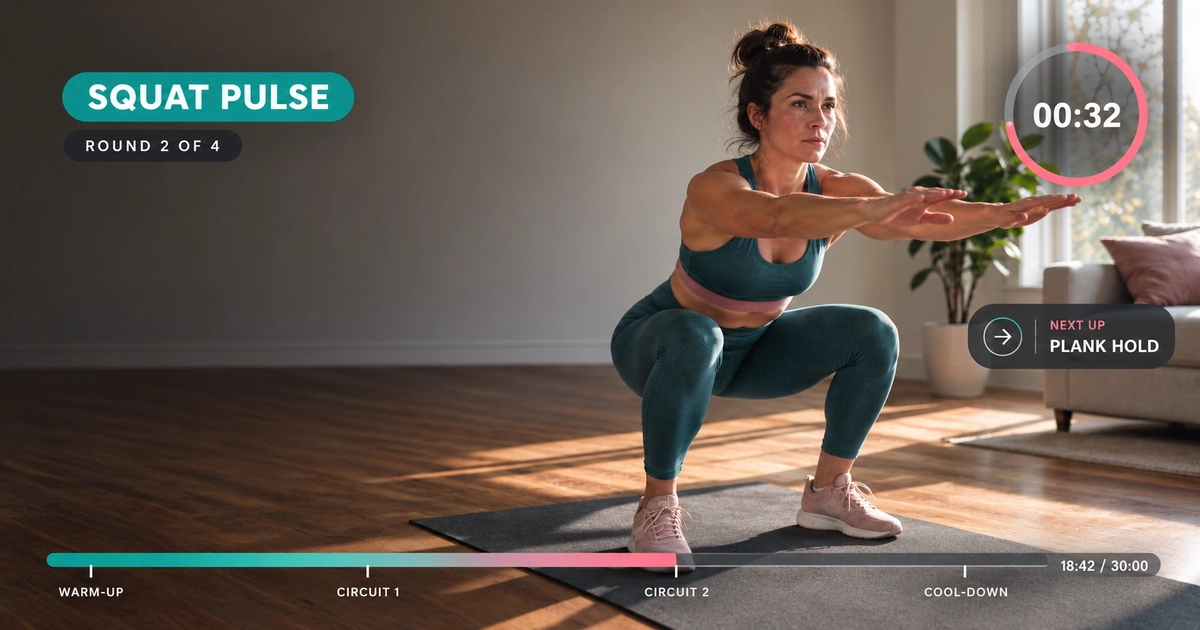
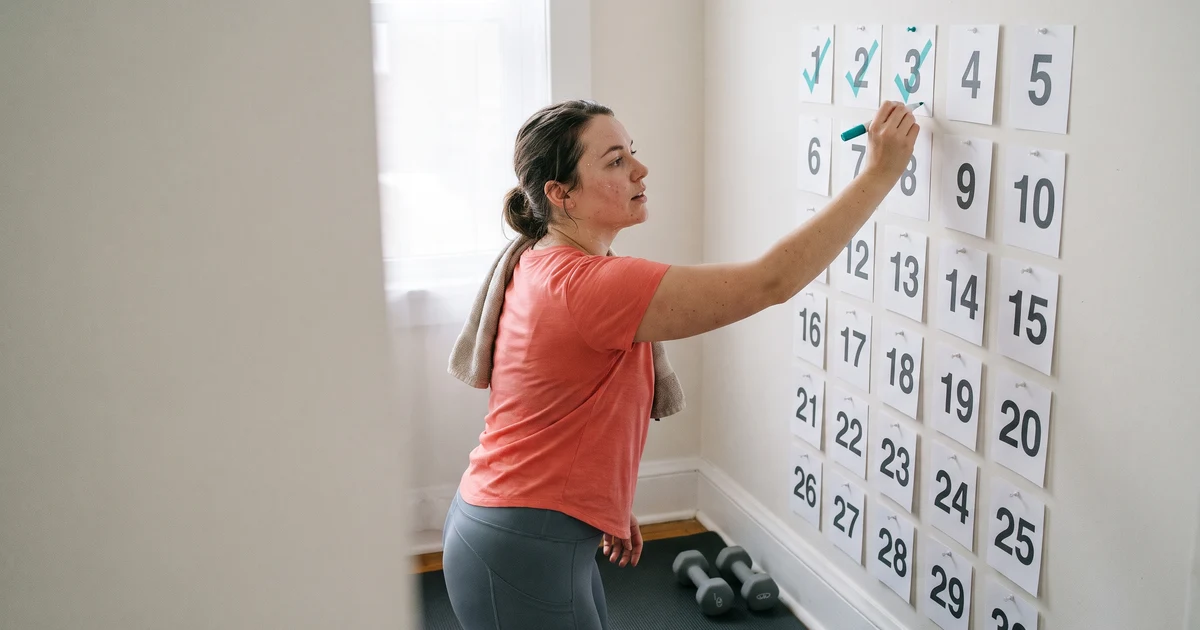
An Instagram Reels series is a set of Reels posted in order under one name, such as "30-Day Core Reset", with each part numbered "Day 1 of 30", "Day 2 of 30" and so on.
To run a workout series on Instagram Reels, give it one short name, number every part, and tell viewers where the next part is. Put those directions in the video, in the caption and on your profile.
An Instagram Reels series only works if a viewer can find the next part.
For about a year, Instagram had a small button for that. You could link one Reel to another, and viewers could tap through.
That button is reported to be going away. The newer features that group videos are not in most creators' apps yet.
This matters now because "Day 1 of 30" season starts in January.
The good news is that a workout series never needed the button. This guide shows how to build an Instagram Reels series that carries its own directions, so it works on Reels, TikTok and YouTube Shorts whatever any app adds or removes.
What happened to linked Reels on Instagram?
Instagram's option to link one Reel to another is reported to be going away. A reporter who cited a source said Instagram would stop letting creators link Reels from October 28, 2026. Instagram has said nothing public, and Instagram's own help page for linking a Reel was still online on November 20, 2026.
Who reported it. Creator-economy reporter Lia Haberman posted the news on October 15, 2026. She cited a source. Social Media Today reported the same thing that day.
What Instagram has said. Nothing public. The help page, Link a reel on Instagram, still had full instructions.
So check your own app. Start a new Reel and look for "Link a reel" before you share it.
If it is still there, treat it as a bonus. Don't build your series on it.
It was always a thin tool. The help page shows it linked one Reel to one other Reel, with a label of up to 15 characters. It was never a playlist.
What is Instagram testing for series now?
As of November 2026, Instagram is testing two newer features that group videos. Series is a page on your profile with episodes in order. Clips as Reels are Reels that link to one longer video. Both are tests with select creators, and most creators don't have either one yet.
The table shows what each feature does and who has it.
| Feature | What it does | Who has it |
|---|---|---|
| Series | A page on your profile with episodes in order | A test with select creators since June 2026 |
| Clips as Reels | Reels that link to one longer video | Only creators in the long-video test that reached select US creators on October 26, 2026 |
Instagram has not said when either will reach everyone.
Note what Clips as Reels does. It points several Reels at one long video. It doesn't link Day 4 to Day 5.
So plan as if you have neither. If one arrives in your app, add it on top.
How do viewers find part 2 of a Reel?
Viewers find part 2 of a Reel by reading the video and its caption, then opening the creator's profile or searching for the series name. So every part of a workout series has to say which series it belongs to and where the next part is.
Your viewers are already looking. In November 2026, typing "how to find part 2" into Google brought up these endings: "of a reel", "on Instagram Reels on iPhone", "on Instagram Reels Android".
People land on a middle part of a series all the time. Then they go looking for the rest.
A workout series has this problem more than most. Someone who finds Day 12 of a 30-day plan wants Day 1.
So every part has to answer two questions by itself:
- What series is this, and which part?
- Where is the next part?
How should you name and number an Instagram Reels series?
Give an Instagram Reels series one short name that never changes, and number every part with the total, such as "Day 4 of 30". Put that label in the same place on every part. Then a viewer who lands in the middle can search the name and find Day 1.
Pick one short name and never change it.
"30-Day Core Reset" is a good name. A viewer who lands on Day 12 can search those exact words and find Day 1.
Say how many parts there are.
"Day 4 of 30" is better than "Day 4". The viewer learns how long the series is.
It is also better than "Part 4". "Day" tells the viewer a new one comes every day.
Put the label in the same place on every part.
Same words, same spot, same style. After two or three parts, viewers recognize the series before they read anything.
Keep the label inside the area the app doesn't cover. Workout Video Formats & Safe Zones shows where that is.
Any editor can add a text label. If you want it to move a little, ActiveSnap, an AI video editor for fitness creators, has moving titles, and its templates fill in your logo and colors.
Don't make the number your hook.
Most people who see Day 17 have never heard of your series. And about two in three Reel plays on small accounts are skipped in the first three seconds, according to Socialinsider's study of brand accounts from January to June 2026.
Open on the movement and what it does for the viewer. Keep "Day 17 of 30" as a small label in the corner.
What should the caption of each Reel in a series say?
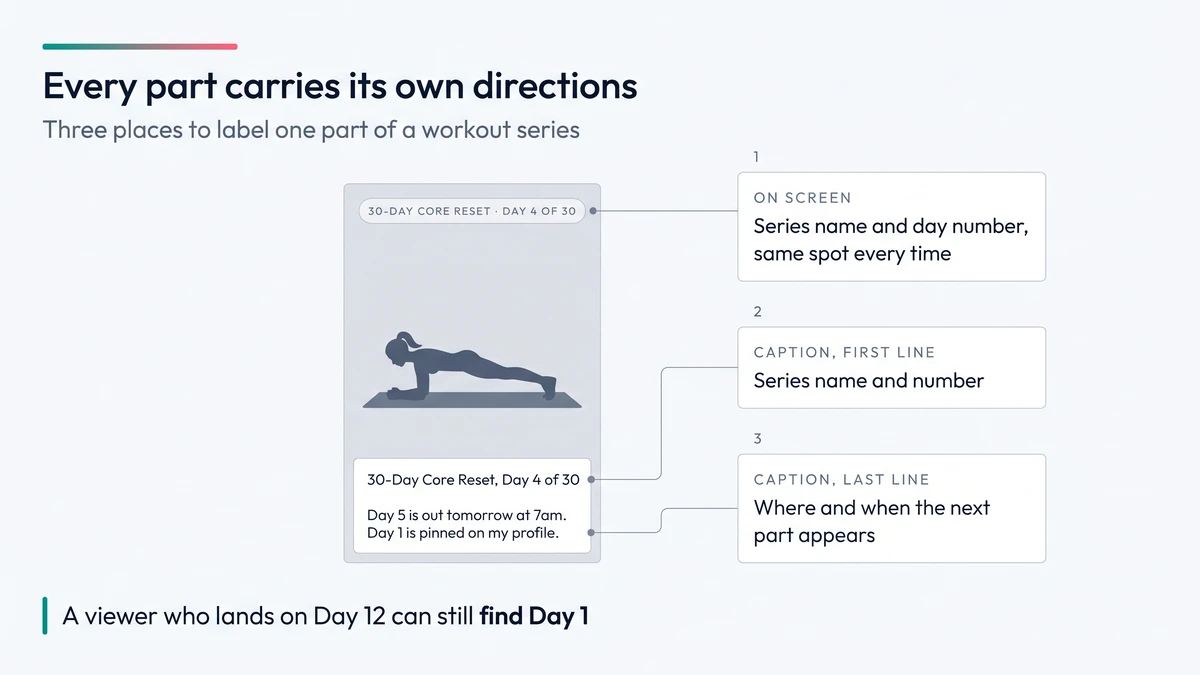
The caption of each part in a Reels series should open with the series name and the number. The caption should end with where the next part is and when it arrives. It is the one place that always has room for directions.
First line: the series name and the number.
30-Day Core Reset, Day 4 of 30
Last line: where the next part is and when it arrives.
Day 5 is out tomorrow at 7am. Day 1 is pinned on my profile.
Using the same series name in every caption also helps search. Someone who types the name into Instagram search can find the other parts.
For the rest of the caption, see Per-Platform Posting Best Practices.
How do you show a Reels series on your Instagram profile?
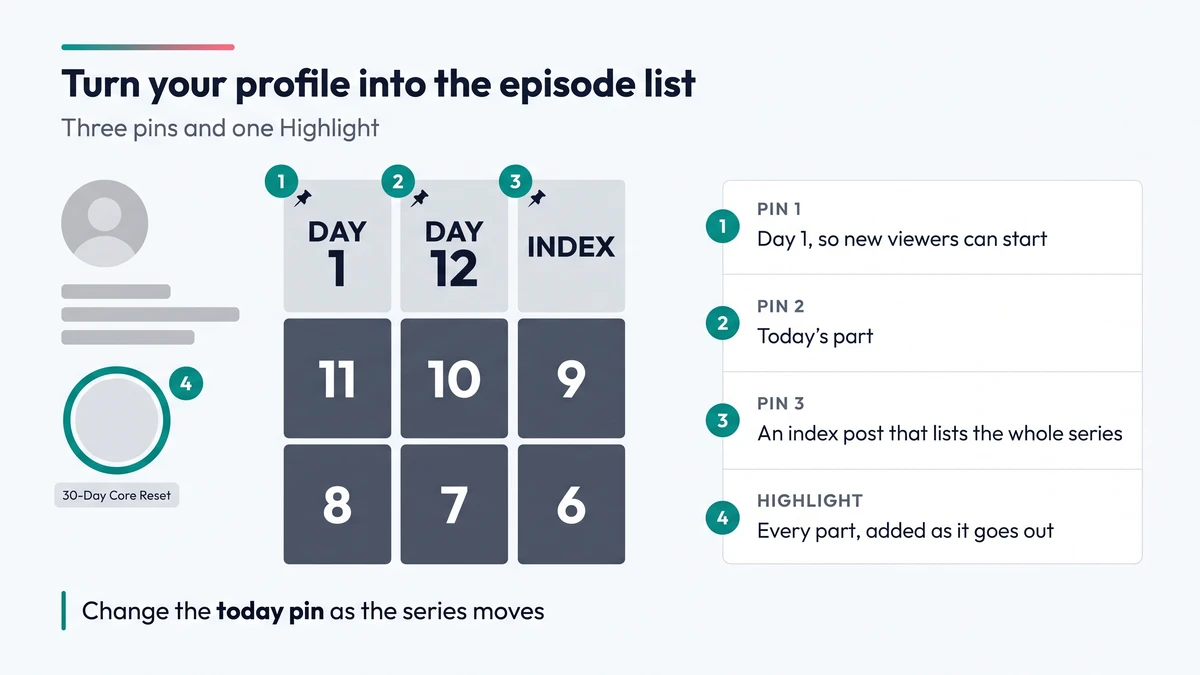
Turn your Instagram profile into the episode list with three pinned posts, one Highlight named after the series, and one cover design with a big number. When a viewer wants the rest of the series, they open your profile. Make the answer obvious there.
Pins. Instagram lets you pin up to three posts to the top of your profile. A good set for a running series:
- Day 1
- Today's part
- An index post that lists the whole series
The index post can be a simple carousel. One slide per week, each day named.
Change the "today" pin as the series moves.
Story Highlights. Share each new part to your Story, then add it to one Highlight named after the series. Highlights stay on your profile until you remove them. Over 30 days, the Highlight becomes a full episode list.
Covers. Use one cover design with a big number. Keep the number near the center so the profile grid doesn't crop it.
Get the cover right before you post. Instagram's help page says a cover can't be edited after upload.
How do you film and schedule a whole Reels series?
Film every part of a workout Reels series in one or two sessions, then schedule the whole run before Day 1 goes out. Instagram lets you schedule up to 30 days ahead from a public account, so a 30-day series can be finished and queued before it starts.
A series fails when Day 9 never appears.
The fix is to finish the parts before Day 1 goes out.
Film in one or two sessions. Wear the same clothes and use the same spot. The parts will look like one series.
Many series come out of longer workouts you already filmed. A 30-minute class can hold ten or more moves that each make a part. How to Turn Workout Videos Into Reels explains how to pick those moments. If you'd rather not scrub through footage by hand, ActiveSnap's Clips Builder can pull short vertical clips from one or more workouts when you describe what you want.
Schedule the run. Instagram lets you schedule up to 30 days ahead from a public account. A 30-day series fits exactly.
A 30-day workout series is also a 30-day Reels challenge. You post one Reel a day for 30 days.
Post at the same time every day. Then your caption can promise "tomorrow at 7am" and keep the promise.
If you post the series on more than one app, ActiveSnap's social media calendar shows every scheduled part in one place, with its own time for each platform.
Pick a number you can finish.
Daily for 30 days is a lot for one person.
In August 2025, Buffer looked at 2.1 million Instagram posts and found that accounts posting more often grew faster. But the gain got smaller with each step up, and Buffer says it can't tell whether posting more causes the growth.
A 12-part series, three days a week for four weeks, is easier to finish. Name it honestly, such as "12-Part Core Series", and number it "Part 4 of 12".
Where can you still link the parts of a Reels series?
You can still link the parts of a series on YouTube, and on TikTok if your account has playlists. A YouTube Short can carry a related video link that points at the next part, if your channel has advanced feature access. YouTube playlists can hold Shorts in the order you set. On Instagram, the option to link one Reel to another is reported to be going away.
Post the same series on other apps. Two of them can still give you a link between parts. The table shows what each platform gives you and the catch.
| Platform | What you can use | The catch |
|---|---|---|
  YouTube Shorts | A related video link on each Short. Point it at the next part. | Needs advanced feature access on your channel |
| YouTube | A playlist that holds Shorts, in the order you set | The Shorts view of a playlist shows on computers only |
 TikTok | A playlist viewers can watch in order | Not available to every account. A post can be in only one playlist. |
 Instagram | Pins, a Highlight and captions | Link a reel is reported to be going away. Series is a test with select creators. |
One TikTok detail to watch. The newest post in a playlist plays first unless you change the order. For a workout series, drag Day 1 to the top.
Instagram Reels series: common questions
Can you still link Reels together on Instagram?
Possibly not. A reporter who cited a source said Instagram would stop letting creators link Reels from October 28, 2026. Instagram has said nothing public, so start a new Reel and look for "Link a reel" before you share it.
Why is "Link a reel" not working on Instagram?
Your account may no longer have it. Instagram was reported to stop letting creators link Reels from October 28, 2026, but Instagram has said nothing public. Pins, a Highlight and captions still work for every account.
Does every creator have the Series feature on Instagram?
No. Series, a page on your profile with episodes in order, is a test with select creators since June 2026. Instagram has not said when it will reach everyone.
Should a workout series say "Day 4" or "Part 4"?
"Day 4 of 30" is the better label for a daily series. "Day" tells the viewer a new part comes every day, and "of 30" tells them how long the series is. Use "Part 4 of 12" if you post three days a week.
How far ahead can you schedule Reels on Instagram?
Up to 30 days ahead. Instagram lets you schedule Reels that far from a public account, so a 30-day workout series fits exactly.
Does a Reels series have to be daily?
No. A 12-part series, three days a week for four weeks, is easier for one person to finish than a daily run of 30. Name it honestly, such as "12-Part Core Series".
The Instagram Reels series checklist
Before Day 1 goes out:
- ✅ Name: one short series name, used word for word everywhere.
- ✅ Number: "Day 4 of 30" or "Part 4 of 12", so viewers know the length.
- ✅ On-screen label: same place and style on every part, clear of the app's buttons.
- ✅ Hook: each part opens on the movement, with the number as a small label.
- ✅ Caption, first line: series name and number.
- ✅ Caption, last line: where and when the next part appears.
- ✅ Pins: Day 1, today's part and an index post.
- ✅ Highlight: one, named after the series, updated with every part.
- ✅ Covers: one design, big number in the center, checked before posting.
- ✅ Schedule: every part filmed and queued at the same time each day.
- ✅ Other apps: related video links on YouTube Shorts, a playlist on TikTok with Day 1 first.
To run an Instagram Reels series, give it one name, number every part, and say on screen, in the caption and on your profile where the next part is. A series built this way doesn't depend on any one button. If Instagram brings Series to your account, add your parts to it and keep everything else.
If you make short workout clips every week, see how ActiveSnap works for fitness creators.